
From a blank page to a complete football session
Planning a football training session involves the players' age, group size, available time, and the part of the game that needs attention. Volunteer coaches often do that work between jobs, family commitments, and match days. Even experienced coaches can lose time adapting generic material to the group in front of them.
CoachFrank gives them a faster starting point. The mobile app asks for the essential context and generates a structured session with an arrival activity, a sequence of exercises, coaching detail, variations, and a warm-down. Each plan reflects the coach's situation instead of coming from a one-size-fits-all library.
Priority Soft turned the concept and early prototype into a polished cross-platform product. We shaped the input experience, designed how generated material appears on a phone, built the AI workflow, connected the app to an existing coaching content library, and refined the product through real use.
Asking the questions a coach can answer quickly
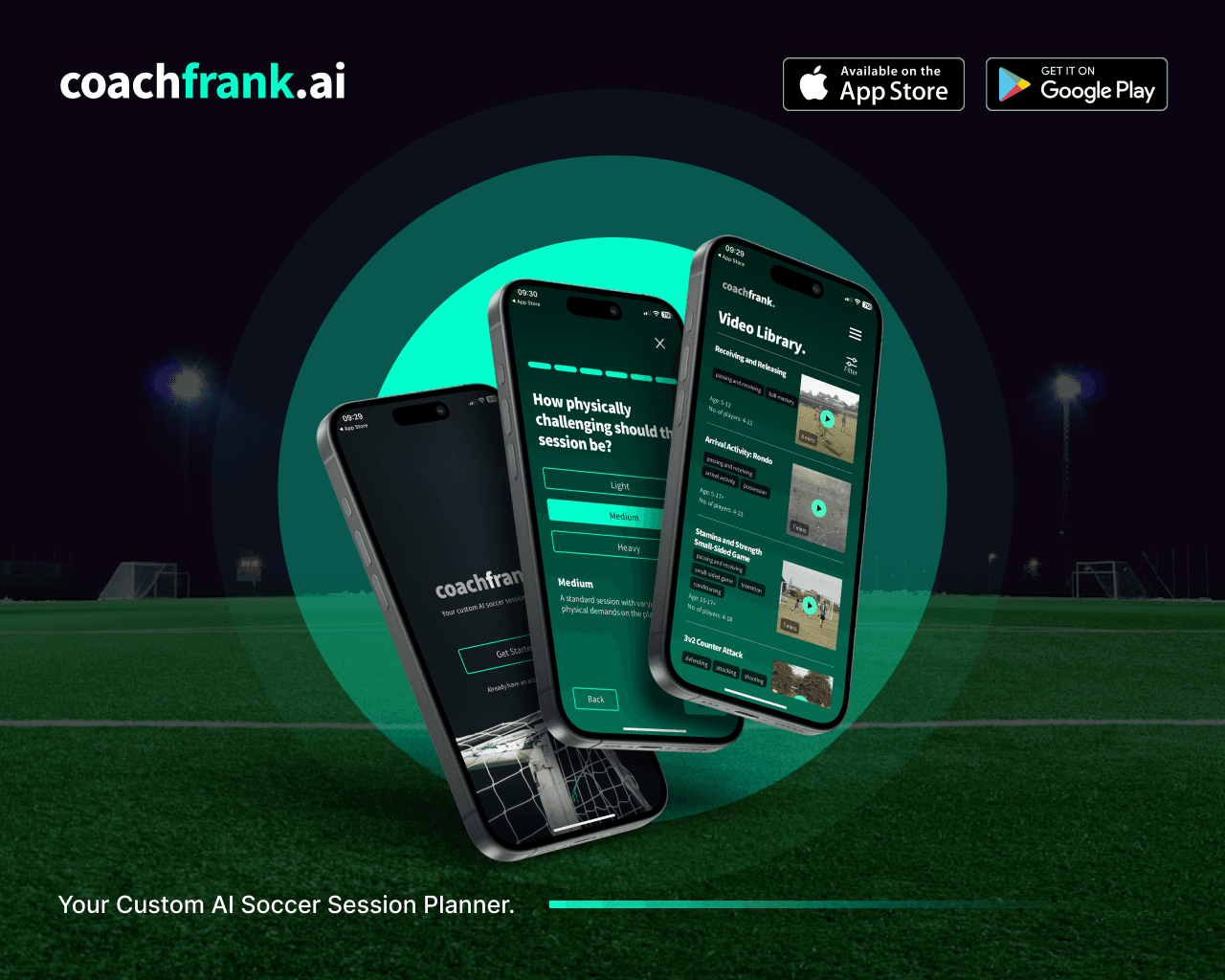
CoachFrank begins with four pieces of context: the topic of the session, the number of players, the age group, and the available duration. These are straightforward questions, but the way they are asked has a large effect on whether the product feels helpful or mechanical.
We replaced a dense collection of selectors with a guided, conversational flow. The app asks one thing at a time and keeps the coach moving toward the plan. Each choice is easy to understand without documentation, and the sequence feels closer to briefing an assistant than configuring a piece of software.
The interaction also establishes sensible boundaries. CoachFrank does not ask the user to compose a perfect prompt or understand how an AI model works. Product design translates ordinary coaching decisions into the structured context needed behind the scenes.
Screen space, button placement, and transitions between questions had to work on an ordinary phone. Coaches may use the app beside a pitch or while preparing for the next day, so the primary action stays visible and the current choice remains easy to review.
Making generation feel immediate
A generated session takes time to compose. Showing an empty loading screen while that work happens would make the core feature feel slower than it is and leave the user wondering whether anything is happening.
The response streams into the app as it is produced. The screen follows the latest content without making the coach scroll after every section, so they can read the arrival activity while later parts are still being prepared.
Coaches can see the plan appear as it is generated instead of waiting with no feedback. Streaming and automatic scrolling had to remain smooth on iOS and Android, and the interface had to handle partial content without jumping around.
Headers, spacing, and text states remain stable as the plan grows. Once complete, it reads as a coaching document instead of a chat exchange assembled one fragment at a time.
A structure coaches can take onto the pitch
A session plan needs a consistent structure so a coach can scan it before training and refer to it while the players are moving.
CoachFrank produces plans in a consistent coaching format. The opening activity helps players arrive and engage. The main session develops the selected theme through a sequence of practices, each with setup guidance, execution notes, and ways to adjust the exercise. A warm-down closes the session.
The plan uses clear headings and readable text instead of hiding sections behind accordions or filling the screen with decorative controls.
The product also supports practical revision. A coach can generate a new version of the whole session when the approach is not right, or replace one part while keeping the rest. That distinction matters. Often the overall plan works and only one activity needs a better fit for the group.
Completed sessions stay in a history, allowing coaches to return to useful material instead of generating from scratch every time. Sharing exports the plan as formatted text for another coach or member of staff.
Building on real coaching knowledge
CoachFrank was designed around an established body of coach education content. The generated experience uses that material and a carefully defined output format to stay closer to the language and structure coaches expect.
The AI layer translates four user choices into a structured request. Responses follow a predictable layout the app can present consistently, and feedback on completed plans shows the product team where the experience needs refinement.
Common requests can reuse suitable completed material. Coaches get a faster response, and the product avoids unnecessary processing.
The model provides a starting point, while the coach remains responsible for the session they run. They know the players, facilities, and conditions in a way no generated plan can. CoachFrank reduces preparation effort without pretending to replace that judgment.
The product around the plans
A plan solves the immediate question, but coaches also learn by seeing an activity demonstrated. CoachFrank includes a searchable video library drawn from the client's existing coaching material. Users can browse by topic, open a video inside the app, and connect written guidance with a more visual explanation.
The coaching team manages its library through the existing content system, while the app presents it through native browsing and playback. Publishing new material does not require a mobile release.
The plan history and video library give the app value between generation moments. A coach can return to a previous session, look for an exercise, or share useful material with somebody else. These paths support repeat use without filling the product with unrelated features.
Push notifications are introduced with context, so users understand why enabling them may be useful before the operating system asks for permission. Feedback controls are equally lightweight. A simple positive or negative response can be given without interrupting the task the coach came to complete.
Reducing friction around the useful part
The product has to earn attention before it can save time. Priority Soft refined the welcome and registration experience so the purpose is clear from the first screen. Football imagery and direct language establish the context before the user is asked to create an account.
Google, Apple, and email sign-in support both mobile platforms. Navigation keeps the way home visible, and the main action uses language that fits the start of a coaching session.
We also designed sharing and review moments around genuine satisfaction. A coach can share a plan when it is useful. Product feedback appears close to the generated result. The experience does not interrupt a new user with requests before they have seen the value of the app.
These decisions came from treating conversion, usability, and engineering as one problem. A technically successful generation is irrelevant if a coach cannot reach it, understand it, or find it again.
A focused mobile and content architecture
CoachFrank is built with Flutter and Dart, providing one high-quality application across iOS and Android. Firebase services support identity, saved sessions, analytics, and notifications. The generated coaching workflow connects to OpenAI, while the video library is delivered from the client's existing WordPress content platform.
The architecture separates generated plans, user history, and editorial video content so each can evolve for its own reasons. Structured requests keep plan output predictable. Streaming delivers the response progressively. Cached material improves repeated requests, and product analytics show how the central experience is being used without changing the session itself.
The mobile foundation supports streamed plan generation, authentication, saved content, media, feedback, and sharing.
What Priority Soft brought to CoachFrank
Our work focused on the product around the AI. Generating coaching text did not answer how a busy coach should brief the model, what to show during generation, how to structure the plan, or how to revise one weak section without losing everything else.
We turned four inputs into a guided conversation, made streaming part of the interface, built a readable session format, supported selective regeneration, and connected the experience to the client's coaching library.
We also challenged product decisions when friction or complexity threatened the main use case. That meant protecting easy sign-in, simplifying navigation, making football unmistakable in the welcome experience, and keeping the coach's task ahead of the underlying technology.
The outcome
CoachFrank gives football coaches a practical way to prepare a contextual training session in minutes. They can describe the group and objective in ordinary terms, watch a structured plan appear, adjust the parts that need work, save successful sessions, and draw on supporting video content.
Priority Soft transformed an AI idea into a complete coaching product available across both major mobile platforms. The application succeeds because the technology stays in its proper place. Coaches do not have to learn prompting or wait blindly for a response. They get a plan organized for the pitch, with enough control to make it their own.