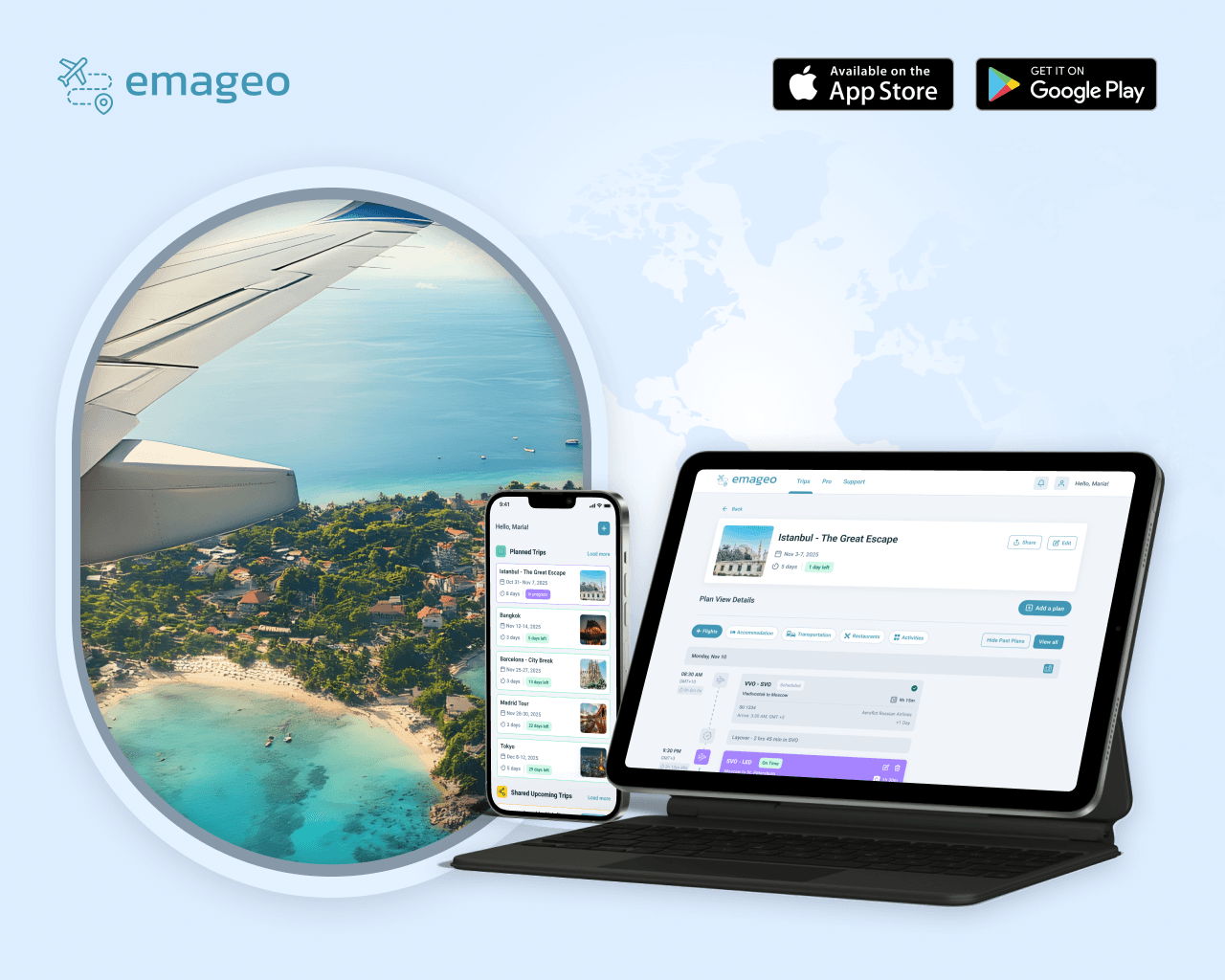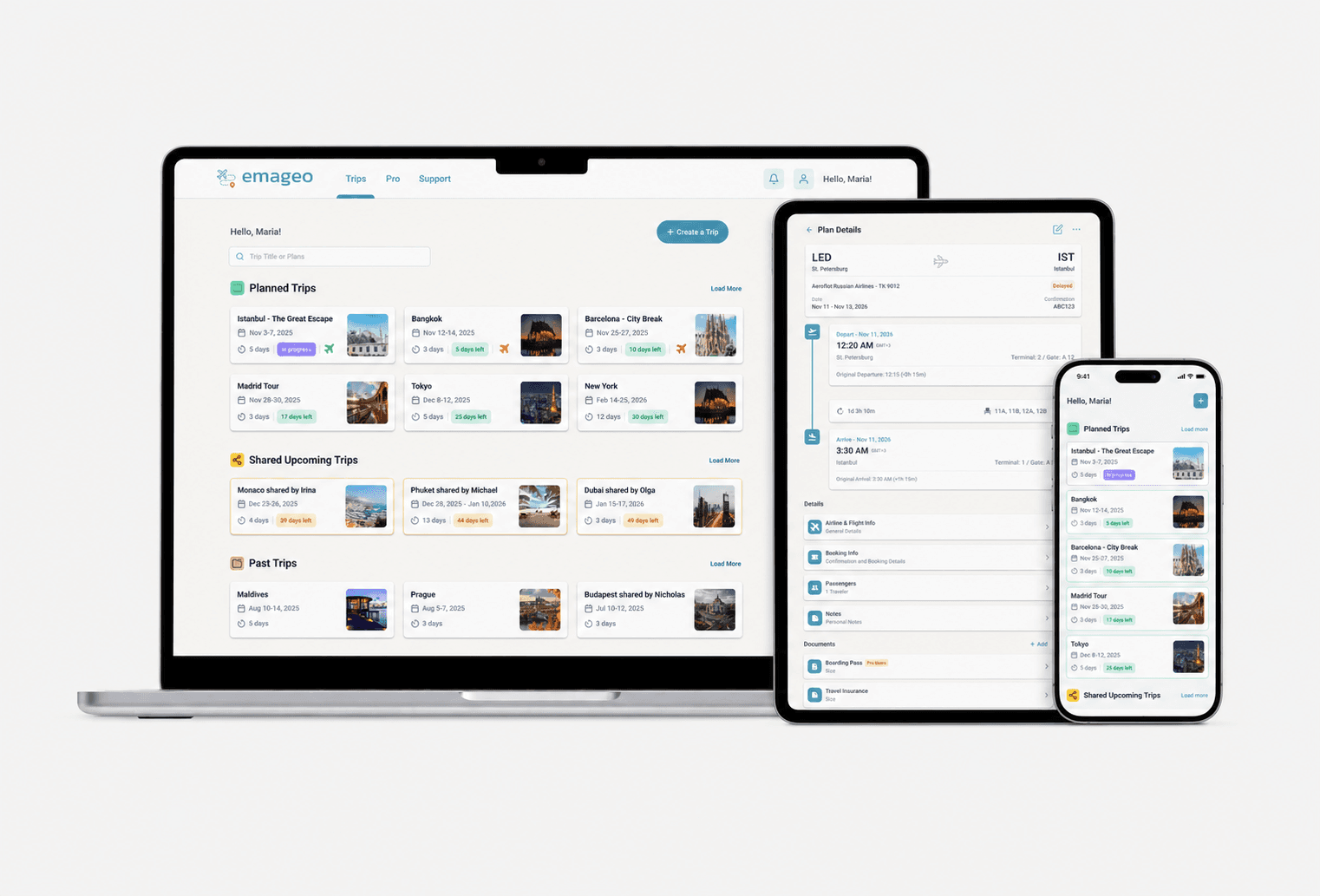
Bringing the whole trip into one clear timeline
Travel plans rarely live in one place. A single trip may involve airline emails, hotel confirmations, train tickets, restaurant bookings, car rentals, calendar notes, and documents saved on different devices. The traveler ends up searching their inbox at the exact moment they need a confirmation number or address.
Emageo brings those details into one chronological plan. Trips have a clear beginning and end, each reservation appears at the right point in the itinerary, and important information remains available without opening several other apps. Confirmation emails can be imported and interpreted automatically, while live flight information helps the plan reflect what is happening now.
Priority Soft turned the product vision into mobile and web applications. We defined the information model, designed the itinerary and plan views, built the shared application and service layer, and set the scope for mapping, offline access, sharing, subscriptions, and AI-assisted imports.
Designing around the questions travelers ask
A travel organizer can hold a great deal of information and still be frustrating. The useful detail changes with the moment. At the airport, the terminal and latest flight status matter. On a train platform, the coach and seat may be more important than the booking company. Arriving at a hotel means looking for the address, check-in time, and reservation reference.
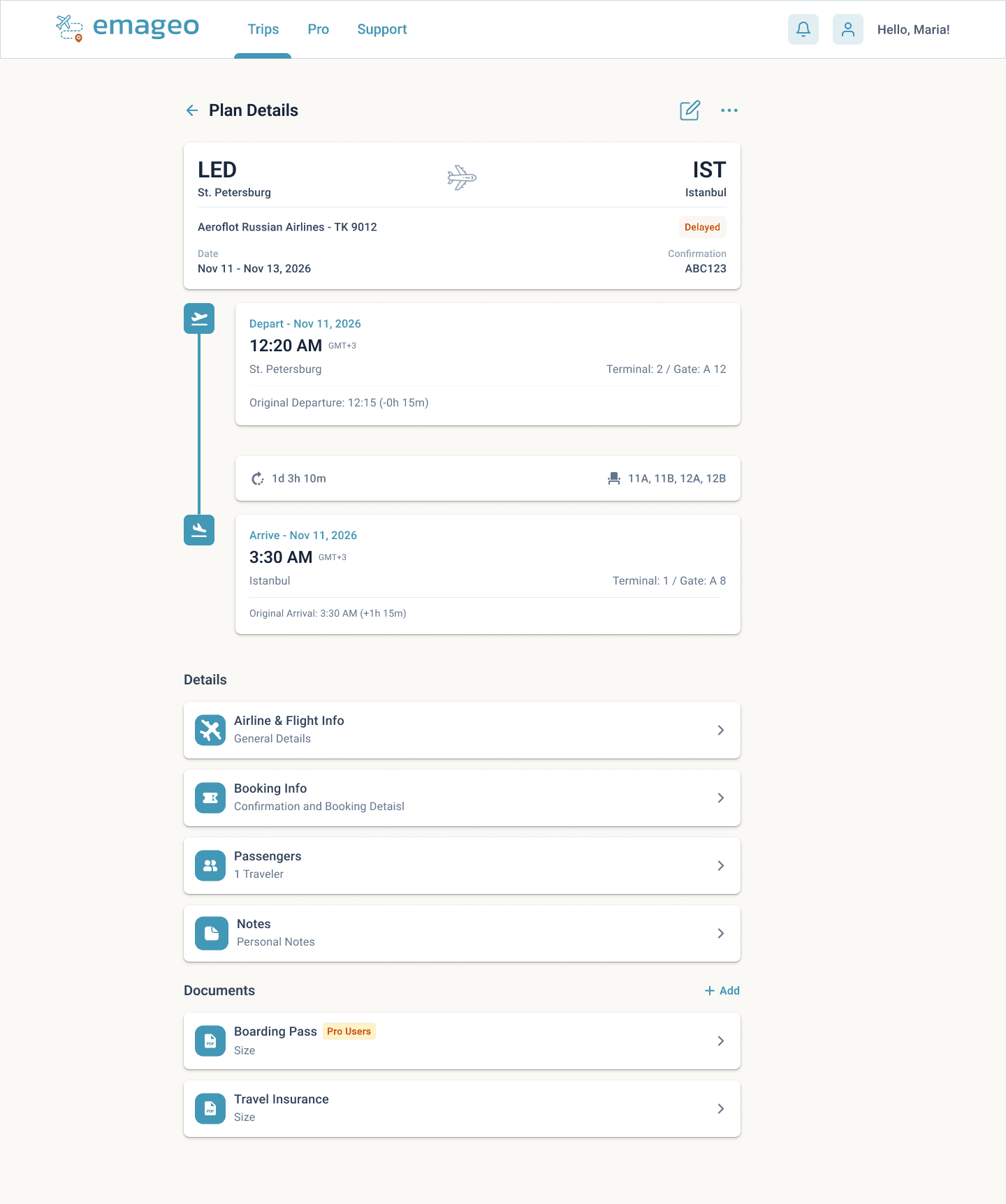
A trip opens into a time-based itinerary. Each entry shows enough information to identify the plan, while summary and detail views provide the booking record, notes, travelers, and attached documents.
Different plan types keep their own character. Accommodation appears through check-in and check-out moments. A rental car has a pickup and a return. Rail details give coach and seat information the prominence they deserve. Flights can update as their operational status changes.
Travelers scan the time first, recognize the plan type, and open the full record when they need it. The interface reads like an itinerary instead of a database.
A trip view that stays calm as plans grow
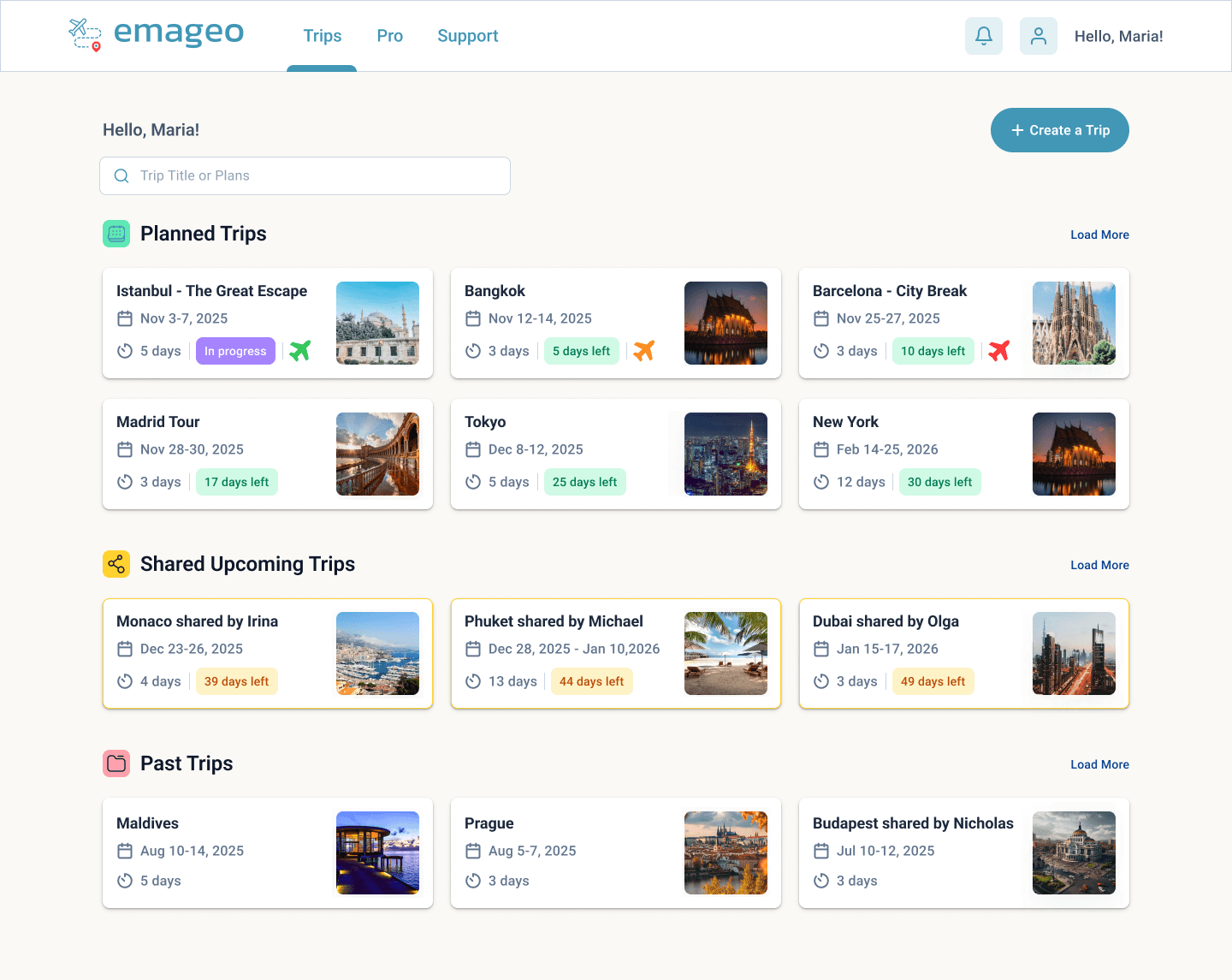
Frequent travelers may have upcoming, shared, and past trips at the same time. The main trip view separates those states and keeps the most relevant plans near the top. Older journeys remain available without making the home screen feel like an archive.
Within a trip, a continuous timeline connects activities across several days. Compact cards preserve the rhythm of the itinerary, and visual states distinguish what is upcoming from what has already happened. Filters help a user focus on a particular type of reservation without breaking the chronology.
We tested several levels of density before choosing a time-first layout. Large decorative cards use too much space when a trip contains many plans. The selected design keeps details scannable while leaving room for destination imagery and Emageo's visual identity.
A floating action gives users one place to add a plan. Flights, stays, ground trips, bookings, and activities each have a form suited to their information.
Turning confirmation emails into structured plans
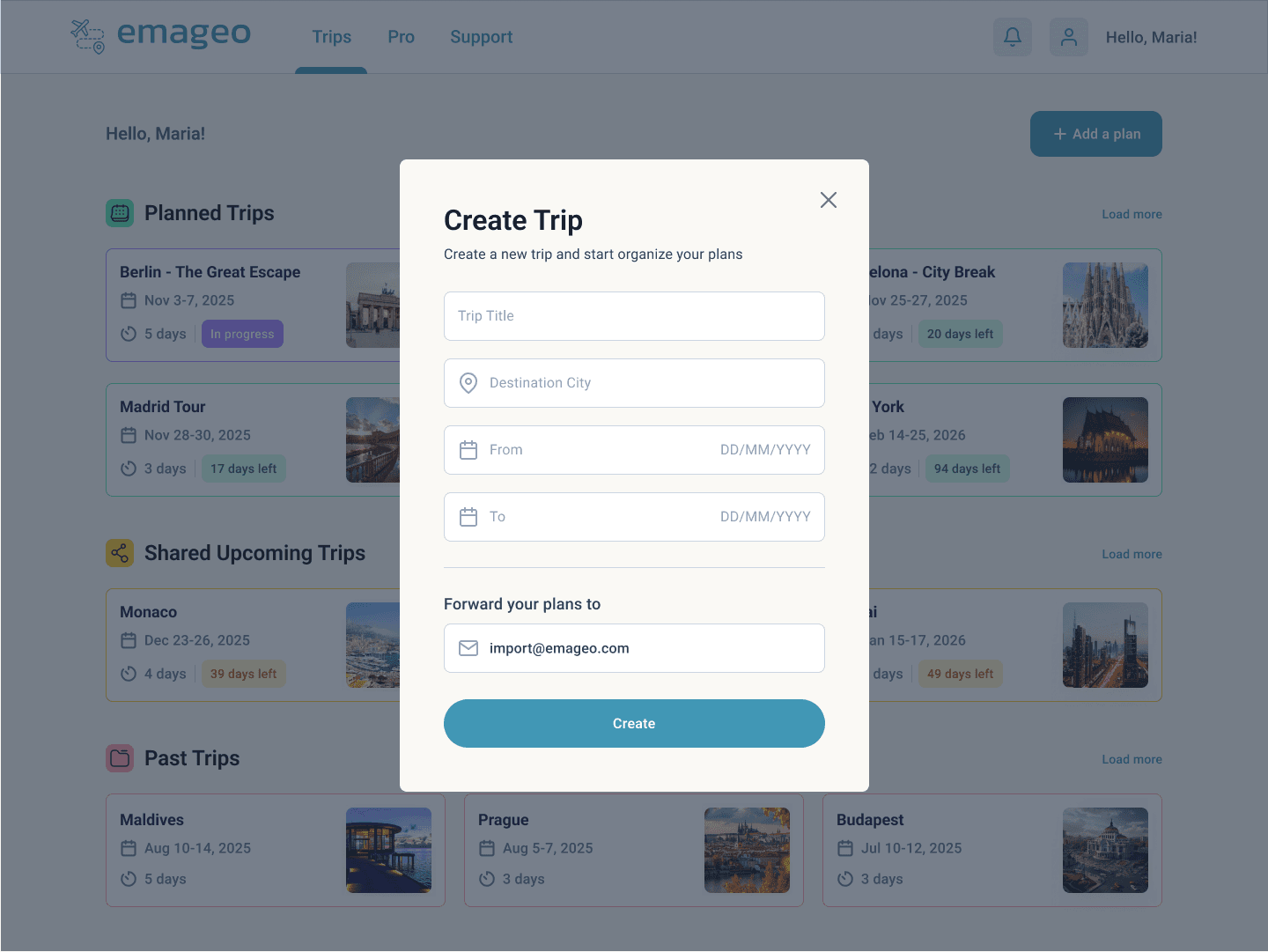
Travelers can enter a plan by hand or forward the confirmation email they already have. Those messages contain most of the information Emageo needs, although they were written for people rather than software.
Emageo gives each user a way to send those confirmations into the product. An AI-assisted parser identifies the type of reservation and extracts candidate details into the corresponding plan structure. The output is validated before it is accepted, protecting the itinerary from malformed or incomplete generated data.
Travel emails vary between providers and change over time. A fixed template for every airline, hotel, and booking service would be hard to maintain. Language-assisted parsing handles the variation, while validation and defined plan types limit what the parser can create.
The user forwards a confirmation and sees whether Emageo imported it. The service stores the original message separately from the interpreted content and the plan shown in the app. Generated output can fill defined fields, but it cannot create arbitrary records.
Handling place, time, and movement properly
Travel software has to handle location and time with care. A person may create a trip from home for a destination on another continent. Search results based on the phone's current location can hide the right hotel or restaurant. Flights also cross time zones, so the itinerary must keep that context.
Location search follows the trip destination, even when the plan is created elsewhere. Time-zone context stays attached to travel plans so departure, arrival, check-in, and activity times remain accurate.
Navigation uses the mapping applications people already trust. Emageo reveals the relevant address and hands the route to Apple Maps or Google Maps instead of attempting to build a second navigation product inside the itinerary.
Foreign-currency conversion adds another layer of useful context, while route information can help organize a day's activities more sensibly. These features support the trip without competing with the central job of keeping plans readable and reliable.
Useful when connectivity is not
Travelers often need their itinerary in the places where connectivity is least dependable: on a plane, in transit, or shortly after arriving in another country. Emageo includes read access to saved trip information when the device cannot reach the network.
We limited offline support to the urgent need: reading the itinerary and important booking details. Offline editing and conflict resolution stayed outside the first release.
Users can also share a trip for viewing. The first release leaves out collaborative editing and activity feeds, which keeps ownership clear while giving invited travelers the details they need.
Offline viewing and shared access cover immediate travel needs. The team can add full synchronization and multi-person editing later if users ask for them.
Flight awareness without dashboard overload
Flights change after an itinerary is created. A static departure time becomes less useful when a delay, terminal update, or cancellation appears elsewhere. Emageo connects flight records to live operational data so the plan can reflect changes that matter to the traveler.
Live updates appear inside the existing itinerary entry. Notifications call attention to changes, and the latest state appears with the reservation.
The service checks more frequently as departure approaches and reduces unnecessary work when the flight is still far away. That operational behavior stays behind the product. On screen, the user sees a current, understandable flight plan alongside every other part of the trip.
One experience across mobile and web
Emageo uses Expo, React Native, and TypeScript to support iOS, Android, and the web from a shared product foundation. Platform-specific interaction is introduced only where it improves the experience, such as the way a form or date picker behaves on a larger screen.
A NestJS service layer and PostgreSQL support trips, plans, people, identity, and travel status. Secure object storage handles covers and documents. External services provide live flight information, place search, mapping context, currency data, and subscriptions. A separate Next.js site introduces the product to prospective users.
Shared types keep the frontend and service model aligned. Flights, accommodation, rail segments, and activities have the same core meaning on every platform even when the interface adapts to the device.
The visual system reinforces that continuity. A warm near-white background and restrained teal accent keep dense travel information calm. Time, status, and plan type do most of the organizational work, leaving the destination and booking details easy to read.
What Priority Soft brought to Emageo
Travel software can expand into navigation, collaborative editing, booking, messaging, expenses, and every reservation format. We kept the first experience centered on the itinerary and supported the moments around it with focused integrations.
We defined trips, plan types, summaries, and detail records. We validated every email import. We also treated time zones and destination-aware search as product requirements. Offline access and sharing stayed focused on the tasks travelers needed first.
The finished timeline combines imported emails, live flight data, maps, documents, and plans entered by hand. Each source uses the same trip model and interface.
The outcome
Emageo gained a substantial cross-platform foundation for organizing complex travel. Users can create and separate trips, import or enter reservations, follow a chronological itinerary, open detailed booking information, share plans, and keep essential material available while connectivity is limited.
Priority Soft built Emageo for the awkward moments of travel. The app puts the next useful detail where the traveler expects it, while background services handle imports and live updates.