One surveying app for study and field work
Surveying students and working technicians often piece together their tools from several places. Exam questions live in one service, flashcards in another, calculations in a dedicated utility, and project notes somewhere else. That split becomes more awkward as a student begins working in the field and needs both theory and practical coordinate geometry.
HARLO SurveySuite brings those needs into one iPhone app. It supports preparation for the Fundamentals of Surveying and Principles and Practice of Surveying exams, while also providing COGO calculations and point workflows for day-to-day field reference.
Priority Soft worked with a surveying professional to shape the product around the way a career develops. We designed separate student and technician experiences, built the mobile application and service layer, created the subscription model and public website, and carried the product through release on the Apple App Store.
Designing for two stages of the same career
A student and a technician may study the same underlying principles, but they do not enter the app with the same immediate goal. One is trying to build knowledge and prepare for an exam. The other may need a calculation in the field, then return to exam preparation later.
HARLO asks users to choose the path that best matches their work. The dashboard and navigation then emphasize the relevant tools. Student access keeps study goals, topic progress, flashcards, and practice sessions close at hand. Technician access includes the wider calculation and project toolkit alongside the learning material.
Priority Soft used roles to create focus without maintaining two separate applications. The same account and design system can support a person as their needs change. Access rules determine which tools are available, while the product remains recognizably HARLO at every stage.
This matters for retention, but it matters even more for clarity. A new student should not have to understand every field calculation before beginning a study plan. A technician should not dig through coursework to open the tool they need beside a job site.
A study plan that gives the dashboard a purpose
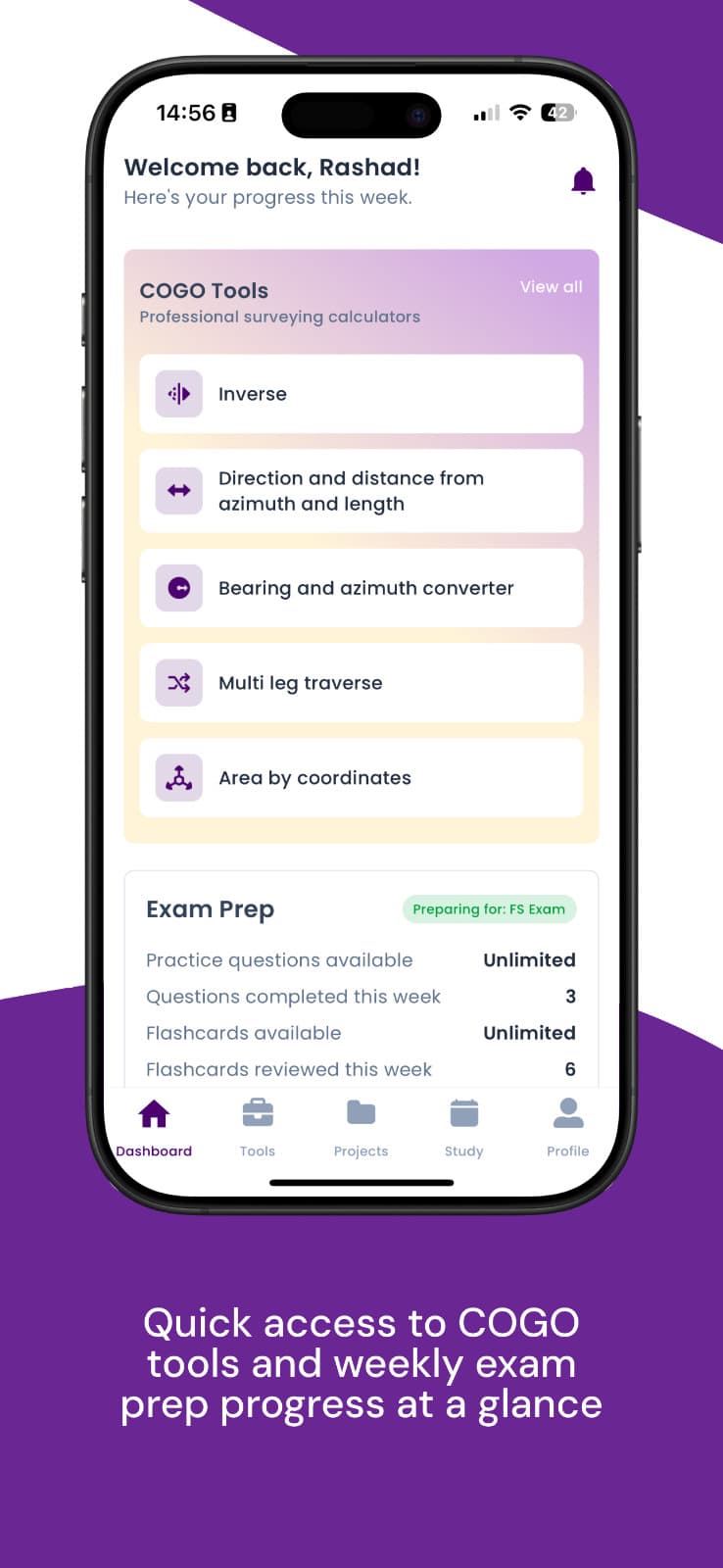
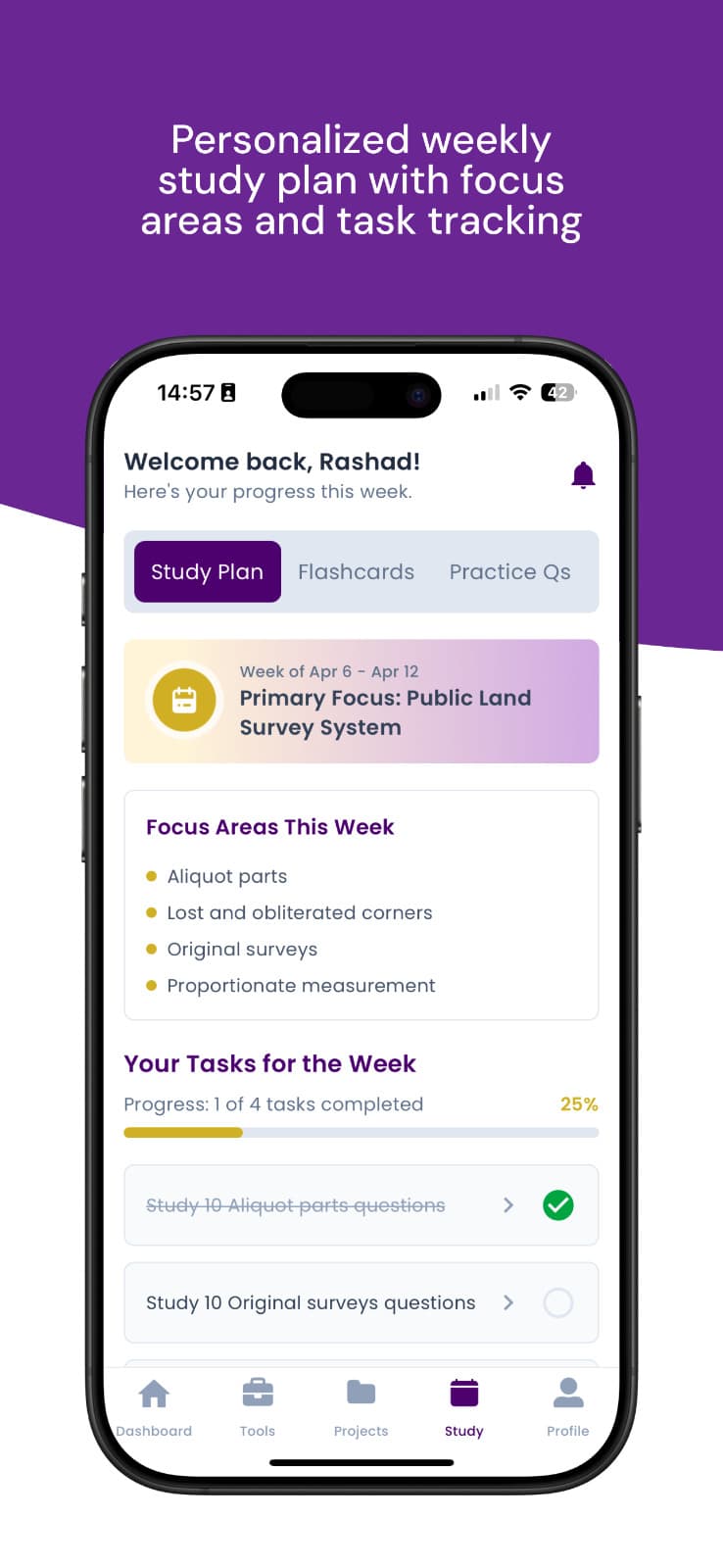
Exam preparation is difficult to sustain when the material appears as one enormous question bank. HARLO turns it into a plan. The dashboard shows the current goal, recent progress, and the next useful area of study.
Users can work by topic or enter a timed session that more closely resembles exam conditions. Results feed back into the progress view, helping the learner see which areas are becoming stronger and which still need attention.
Priority Soft designed the dashboard around that feedback loop. Topic results link back to relevant study material, and weak areas can shape the next session. Progress history shows change without making every practice attempt permanent.
The mobile format encourages shorter, repeatable sessions. A user can review flashcards or answer a small set of questions when they have time, then continue the same plan later. Longer timed practice remains available when they are ready to test endurance as well as knowledge.
Questions that teach after the answer
A practice question has limited value if the product only marks it right or wrong. Surveying exams cover measurement, computation, boundaries, control, geodesy, legal principles, and professional practice. Learners need to understand the reasoning that connects a result to the underlying concept.
HARLO organizes questions by exam and topic, records the user's answer, and provides an explanation after the attempt. The learner can review why an option was correct and return to the concept instead of memorizing a score.
Priority Soft built the question experience for comfortable use on a phone. Text and supporting material remain readable, answers are easy to select, and progress through a session is always clear. Timers and completion states add structure without taking attention away from the problem itself.
The actual question bank and answer keys remain part of HARLO's private learning content. The public product story is about the system around that material: organization, delivery, explanation, and progress that help a learner use it consistently.
COGO tools made for the same user
Coordinate geometry is where HARLO moves from study aid into a practical surveying toolkit. The app includes calculations used to work with bearings, distances, angles, curves, traverses, intersections, areas, levels, and coordinate transformations.
Priority Soft organized these tools around surveying tasks. Inputs use field terminology, results include the relevant units, and calculation breakdowns show how the number was produced.
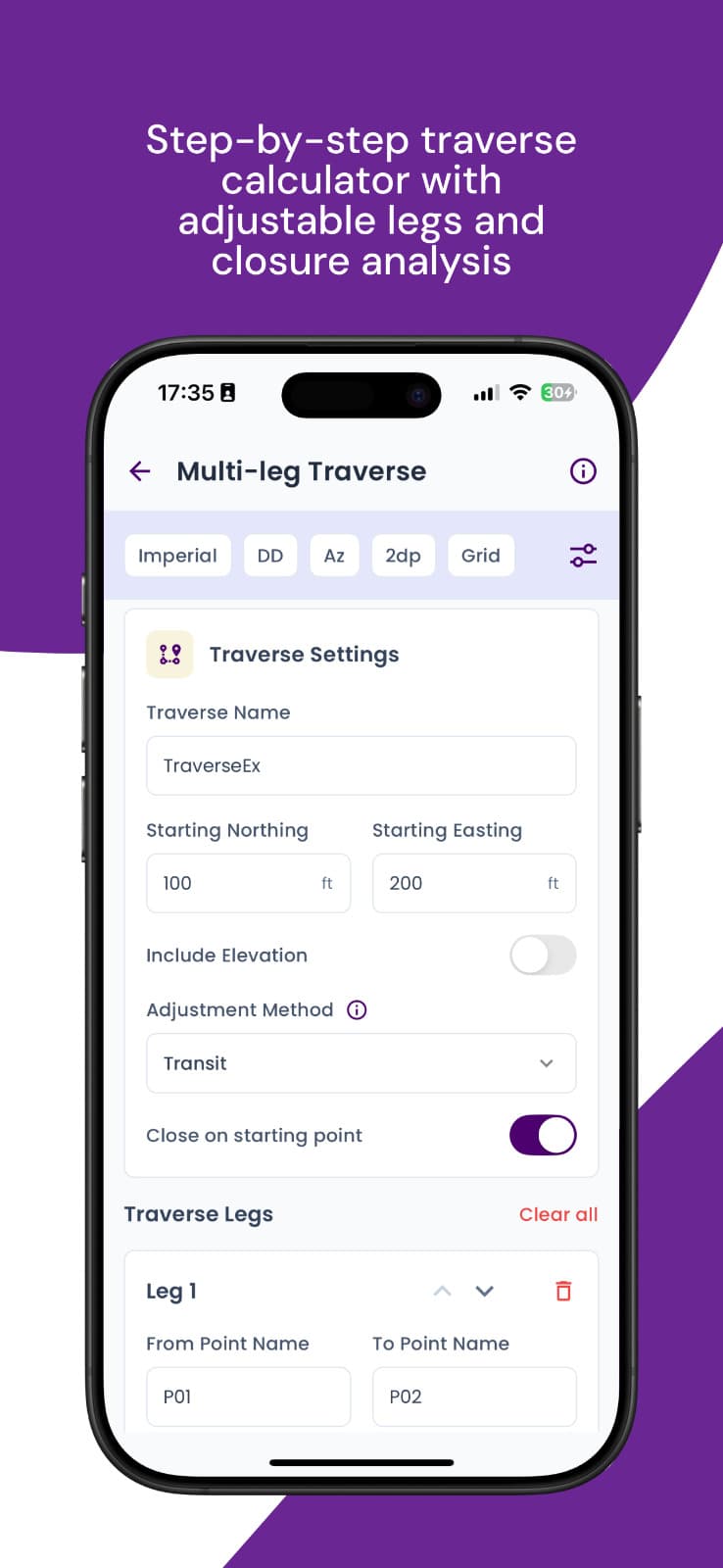
Traverse workflows support several connected legs and make closure information visible. Point operations allow users to work between known and calculated positions. Project views provide a place to keep related point work together instead of starting every calculation from an empty screen.
HARLO is a practical reference, not a substitute for professional verification. The product tells users to check field calculations and apply the standards required by their work. Priority Soft kept that responsibility clear while making the tools fast enough to be useful away from a desk.
Keeping study and field modes connected
Combining exam preparation with COGO tools connects theory in a study session with calculations used later in the field.
Priority Soft kept the visual language, units, terminology, and account experience consistent across both sides. A learner does not have to translate between unrelated conventions as they move from an explanation to practical work.
The dashboard provides the bridge. Study progress remains available to technicians, while field tools do not disappear when a user returns to exam preparation. Profile and account screens manage the person's access without making them choose a permanently separate identity.
A user may arrive for an upcoming FS exam, continue using calculations as a technician, and later return for PS preparation. HARLO supports each stage without trying to predict the person's career.
Subscriptions that follow product access
HARLO offers different access levels for students and working technicians. The subscription model is tied to product capability, allowing the app to present the tools associated with a user's plan while keeping the account experience consistent.
Priority Soft integrated subscription status into navigation and feature access. Users can see what their plan includes, manage account status, and move between available options in the app.
This structure also supports student verification where applicable without creating another application. The commercial model can change while the underlying study history and profile remain attached to the user.
Public plan information lives in HARLO's own product surfaces, where it can be kept current. The case study focuses on the access model and the way it supports two distinct audiences.
A released product with a complete public surface
Priority Soft also built a Next.js website that explains the study and COGO experience, compares access options, and links to support, privacy information, and product terms.
That public surface matters for an education product involving accounts and recurring access. Prospective users can understand what the app does before installing it. Existing users have a place to find help and policy information outside the signed-in experience.
The iPhone application is available through the Apple App Store. Its public listing presents the same combination of FS and PS preparation, field calculations, study progress, and role-based access delivered in the product.
Priority Soft aligned the store presentation, website language, account behavior, and application during release so each channel described the same product.
A mobile architecture for learning and calculation
HARLO uses Expo, React Native, and TypeScript for the iPhone application. Expo Router organizes the separate student, technician, study, project, and account areas. A Django service layer manages identity, question content, learning progress, and supporting domain information.
RevenueCat handles subscription status and product access, while the Next.js website provides the public marketing and support experience. The architecture keeps learning content, user progress, field calculations, and subscriptions in defined areas so improvements to one do not make the others harder to maintain.
Priority Soft chose a shared mobile foundation that could support rich study screens and calculation workflows without feeling like a website wrapped in an app. The interface is responsive, the navigation fits iOS, and the product can distribute updates through a familiar release process.
What Priority Soft brought to HARLO
Priority Soft helped turn professional surveying knowledge into a product structure. We asked where the student experience should end, which tools a technician needs close at hand, how practice results should influence the study plan, and how access could grow with the user.
We then built the complete path from onboarding to the App Store. That included the mobile interface, backend, question and progress systems, COGO and project workflows, subscriptions, public website, and release support.
The strength of HARLO is the connection between those decisions. Exam preparation has enough structure to support real study. Field tools use professional terminology without overwhelming beginners. The subscription model follows the roles already present in the product.
The outcome
HARLO SurveySuite launched as a focused iPhone product for two connected parts of a surveying career. Students can build an exam plan, practice by topic, review explanations, and follow their progress. Technicians can use the same app for COGO calculations and project point work while keeping study resources available.
Priority Soft delivered the mobile app, a maintainable service foundation, and a public website. HARLO supports users at the desk, in the field, and throughout exam preparation.