Delivering a virtual tour without handing over the workshop
A finished 360-degree tour may look simple to the person viewing it. Behind the experience is a large web project made from images, scripts, viewer files, and nested folders that must remain in the right relationship. Sending that material through a generic file-sharing service gives the client a pile of assets when what they really need is one reliable place to open the tour.
Inflight360 needed a delivery portal built around the way its media projects are produced. Staff should be able to organize work by client and project, preserve the exported folder structure, keep internal information private, and share the finished experience through a controlled link.
Priority Soft built a Django application for that workflow. The portal manages clients, projects, folders, files, team access, delivery links, custom URLs, and viewing history. Customers get a direct route into each tour, while production controls stay with the team that created it.
Why ordinary file sharing was not enough
A virtual tour is not a folder of independent photographs. Its viewer expects assets to exist in particular locations, often several levels deep. Rename or move the wrong file and the tour may open with missing scenes, broken controls, or no interface at all.
Inflight360 also manages several tours for one client. Projects can have different export structures, related experiences, and a mixture of client-visible and internal material. A flat upload list would lose the relationships that make the content work.
Priority Soft modeled the portal around the project hierarchy instead. The client owns projects. A project contains folders and files. Folders can be nested to reflect the original media package. Every asset remains attached to the correct project even when the tree becomes large.
Preserving the export structure as product data lets Inflight360 host and manage the tour, not just store its files.
A project workspace for the production team
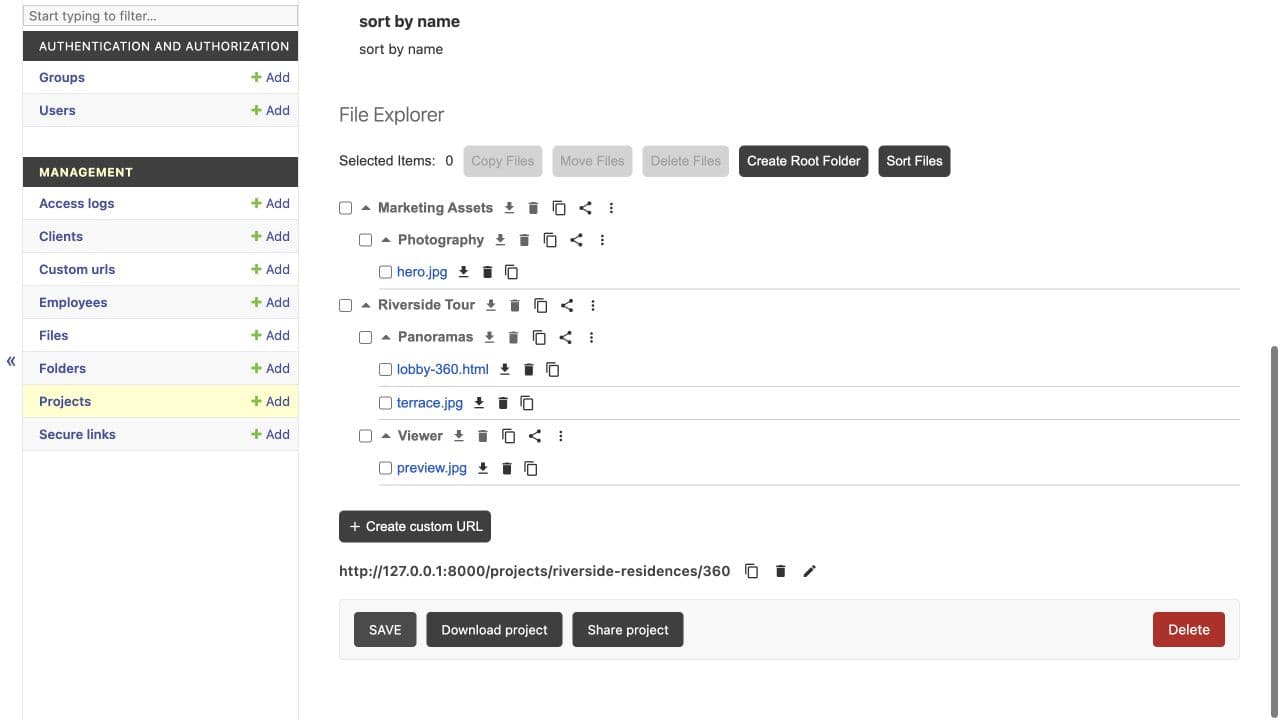
Staff begin by creating the client and the project. From there, they can build the required folder tree and place files where the exported viewer expects them. The portal keeps the project identity visible while the team works through many levels of content.
Projects have a consistent place for ownership, visibility, internal notes, and sharing controls. Employees navigate the hierarchy from the original export without translating it into an unfamiliar document system.
The distinction between production material and client delivery is maintained throughout. The team can keep notes or supporting files inside its working context without exposing them through the public view. A project is prepared once, then delivered through a controlled surface derived from that same structure.
This reduces the need to create a second copy just for the customer. It also lowers the risk that an internal file is accidentally included because somebody assembled the delivery package by hand.
Preserving complex folder structures
Different 360 tools produce different arrangements of assets. One project may use a familiar set of viewer folders, while another includes extra levels or several tours. Inflight360 could not assume that every export would fit one rigid template.
Priority Soft tested the system with varied sample projects and made the folder model flexible enough to preserve their structure. The portal understands ownership at the project level but does not force every tour into the same internal layout.
File and folder names are handled carefully before the application uses them. The system protects the intended project boundary and rejects paths that could escape it or point to material outside the delivery. This security work sits behind the interface, where staff can continue organizing files in familiar terms.
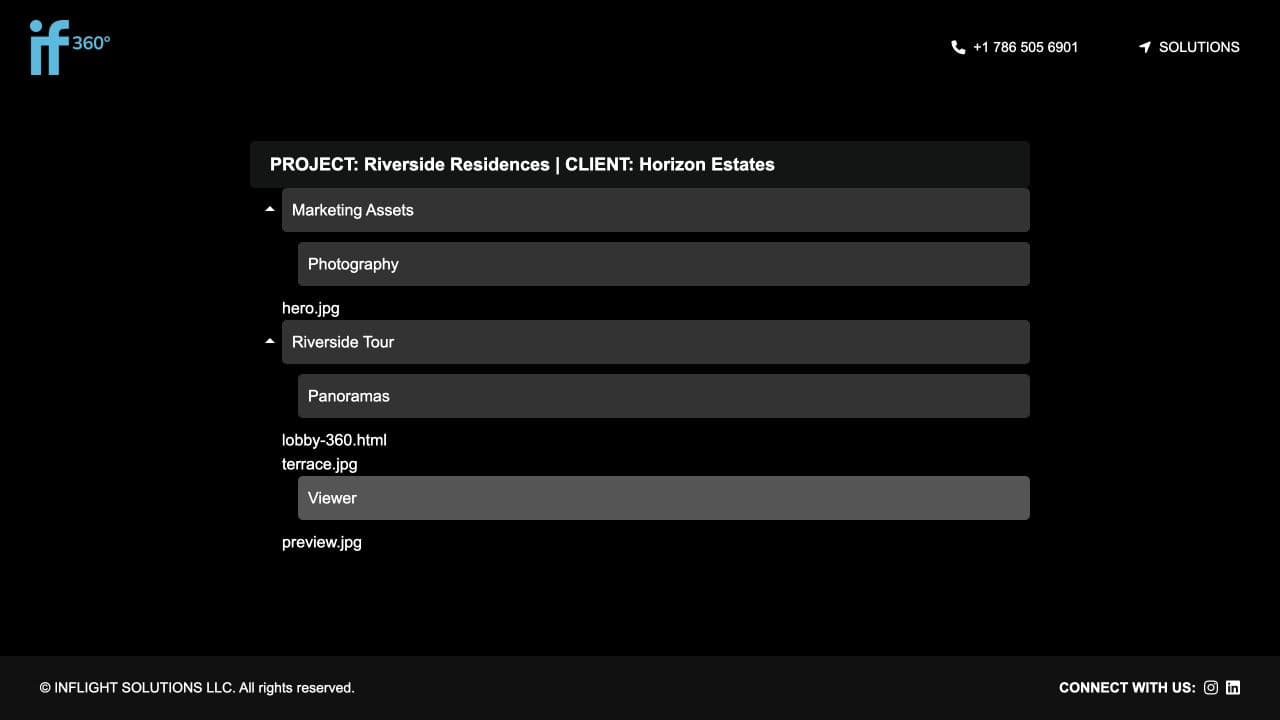
Customers open the virtual tour without seeing its file structure. The production team retains the file tree required to run it.
Secure links without ugly public addresses
Customers need a link they can open and share with the right people. The address should be presentable, but readability cannot come at the cost of exposing predictable project identifiers or storage locations.
Inflight360 separates the public link from the underlying project identity. Staff can create a secure delivery address and, where appropriate, choose a controlled custom URL. The route a client sees does not reveal how the project is stored or provide an obvious way to guess another project's location.
Password protection can add another layer when a project requires it. The customer sees a focused prompt and then the delivered tour, without receiving employee access to the wider portal.
Priority Soft designed these controls as part of the project workflow. Sharing is not an improvised copy-and-paste step performed after the upload. The link, visibility, and access behavior belong to the project and can be managed by authorized staff.
A customer view made for the finished work
The client-facing experience should not look like the administration screen with a few buttons removed. Customers are there to view the tour, not manage folders or inspect internal metadata.
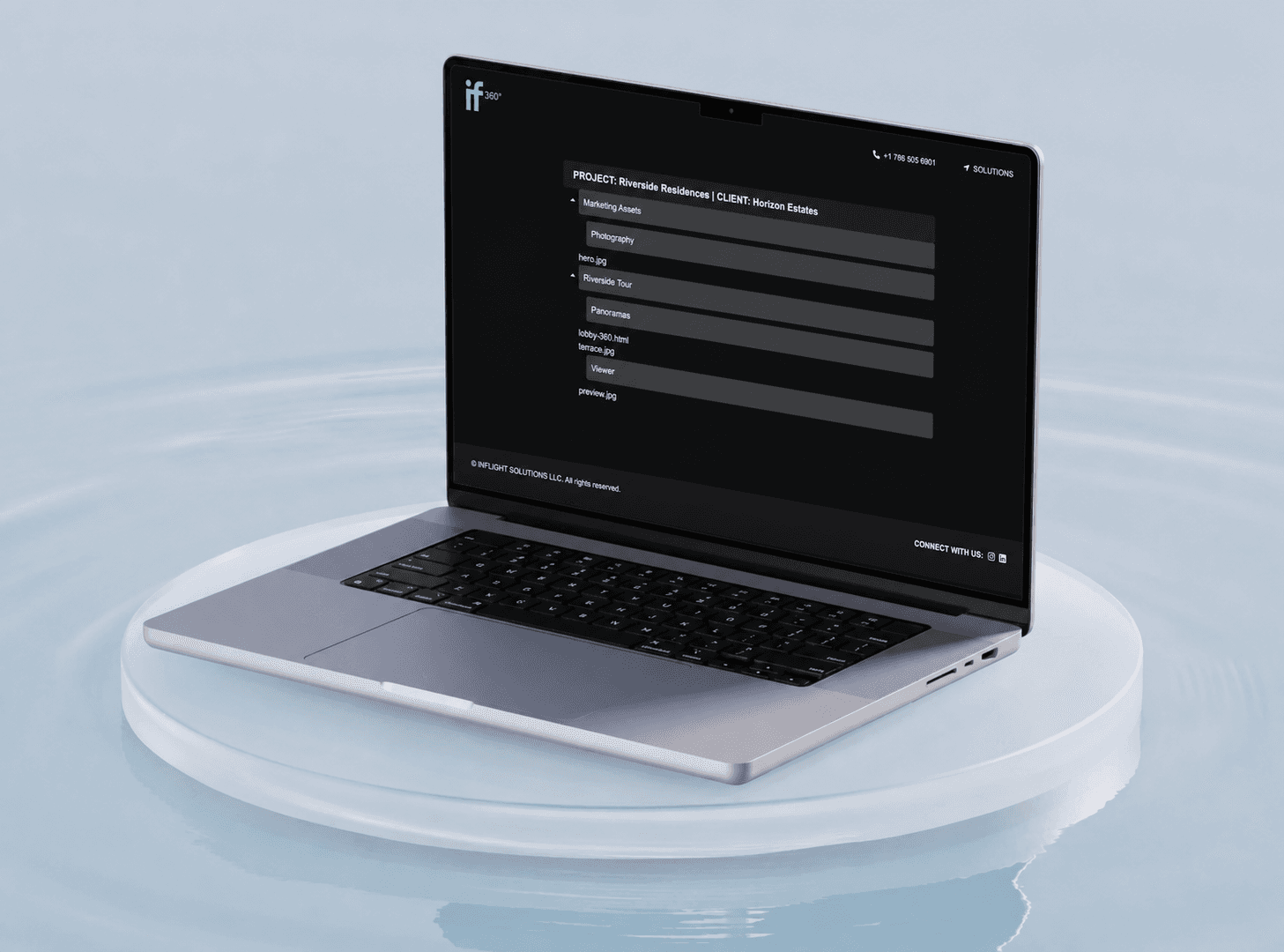
Inflight360 renders a dedicated project view that opens the finished media in its intended context. Delivery controls can be applied without surrounding the work with production clutter. The route remains stable even when staff continue to manage the project behind it.
Priority Soft kept the public experience deliberately narrow. It presents what the customer needs and withholds everything else by default. Internal notes, employee information, private files, and administration actions remain on the staff side.
A client receives one destination instead of instructions for downloading, unpacking, and opening a complex web export.
Knowing when shared material has been opened
Once a project is delivered, the production team may need to know whether the link has been used. A client who has not opened the work needs a different follow-up from one who has viewed it several times.
Inflight360 records access activity associated with shared projects. Authorized staff can see that the delivery route was opened without turning the customer experience into a visible tracking dashboard.
Priority Soft connected this history to the project and link that produced it. The record helps the team understand delivery status and investigate unexpected access without relying on a separate analytics product.
Customer identities, hosted tours, delivery addresses, and viewing records remain visible only to the authorized team. Those details are the content the portal is designed to protect.
Security built around project boundaries
The most important security rule in a file portal is that one project must never provide a path into another. Inflight360 applies visibility rules, controlled identifiers, name sanitization, and access checks before serving project material.
Priority Soft treated the folder tree as untrusted input even when employees created it. Names are cleaned, routes are resolved inside the permitted project area, and public delivery remains separate from staff authentication.
Readable custom links do not expose direct storage paths. Password views and secure identifiers control entry, while access history records use.
The application protects the project hierarchy without changing how the team thinks about its work. Staff still see clients, projects, folders, and files. The security model enforces what those relationships are allowed to expose.
A focused Django application
Inflight360 is built with Django and Python. Server-rendered views handle employee workflows, password prompts, and client delivery. The domain model covers clients, projects, employees, nested folders, files, secure links, custom URLs, and access history.
Django's administration and permission patterns give the internal team a practical way to manage records, while custom project views provide the tailored file-tree and delivery behavior the product needs. Utility tests cover the path and naming rules that protect file access.
The application uses server-rendered views to manage the file tree and host finished tours. Its architecture centers on data relationships, access control, and server behavior that preserves the exported media structure.
New delivery controls or project metadata can be added to the existing model without introducing another storage service.
What Priority Soft brought to Inflight360
Priority Soft understood that the deliverable was the experience, not the archive of files behind it. We translated the team's production structure into a client and project model, preserved complex exports, and designed a sharing layer that reveals only the finished work.
We also handled the quiet details that determine whether a portal like this is safe: project ownership, nested boundaries, sanitized paths, private notes, custom links, passwords, and access history. None of those features is impressive in isolation. Together, they make the difference between a shared folder and a delivery product.
Our work gave Inflight360 one place to prepare, host, and hand over large 360 projects without rebuilding the same client package for every engagement.
The outcome
Inflight360 gained a file-management and delivery portal shaped around virtual-tour production. Staff can organize clients and projects, preserve large nested exports, separate internal material, and create controlled links to the final experience. Customers receive a clean route into the work without access to the production environment behind it.
Priority Soft replaced a fragile handoff with a repeatable product workflow. The team can manage the technical structure it needs, while the client sees exactly what they came for: the tour.