A browser workspace for professional photo editing
Wedding photographers can return from one event with thousands of raw files. The creative judgment belongs to the photographer, but much of the surrounding work is repetitive: moving large files, preparing a consistent edit, waiting for processing, organizing the results, and delivering them in a usable form.
InstantEdit brings that workflow into the browser. A photographer can create a project, choose an editing profile, add optional adjustments, upload raw photographs or select them from cloud storage, and collect the finished images when processing is complete.
Priority Soft turned an early automation experiment into a software product. We designed the user flow, built the web application and processing services, connected AI-assisted editing, added account and purchase management, and created a stable route for large groups of images from source to output.
Designing around the photographer's actual job
The central product idea was simple: professional editing should not require photographers to assemble their own chain of desktop tools and manual transfers. Making that promise credible was more complicated.
Raw photography files are large, and a wedding set may contain many of them. Editing happens outside the browser, and a project passes through several states before its output is ready. The interface explains what can be submitted, preserves progress, shows when the photographer can leave, and makes the output easy to retrieve.
We mapped the complete path from account creation to a finished download, then decided what the photographer needed to see at each point. The product keeps infrastructure and processing terminology out of the main experience. Users work with projects, styles, adjustments, files, progress, and results.
That vocabulary presents the processing system in terms photographers already understand.
A focused path from raw files to finished work
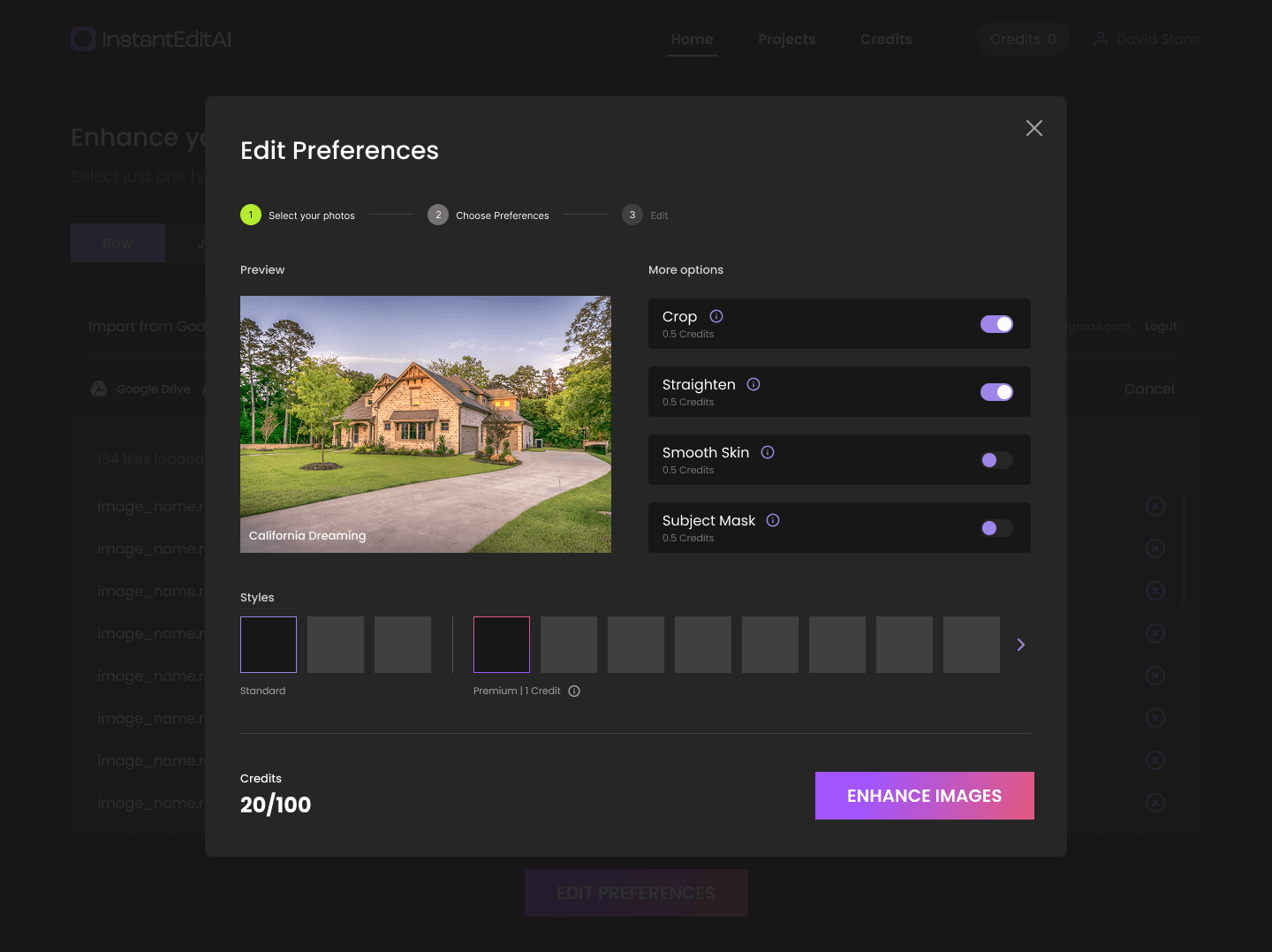
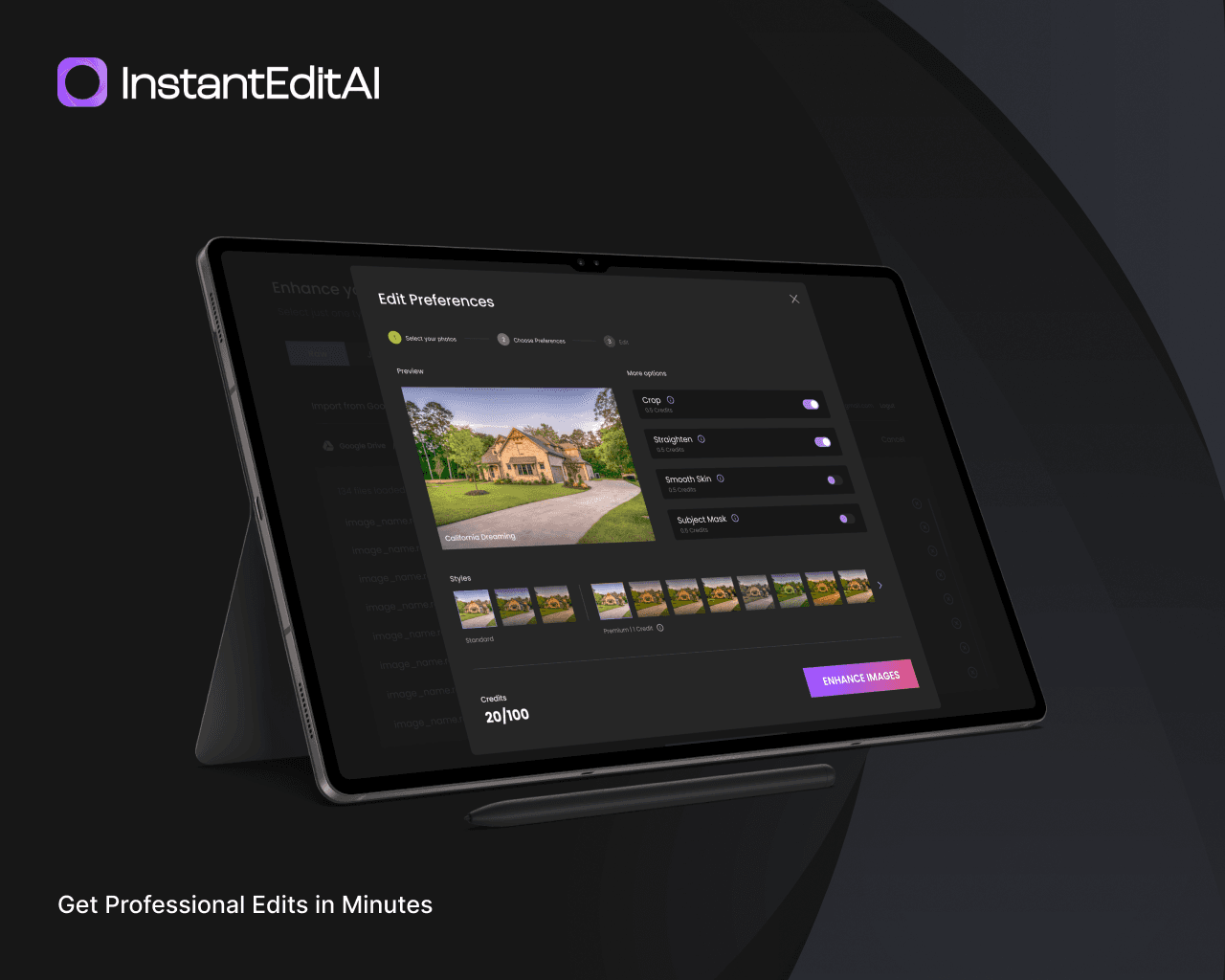
A new project begins with the editing choices that affect the whole set. The photographer selects a profile and can request supporting adjustments such as cropping, straightening, skin smoothing, or subject masking where available.
Files can then be added directly. The upload area accepts supported professional camera formats, checks files before transfer, and gives each item a visible state. A problem with one image does not have to make the whole group mysterious.
After submission, InstantEdit moves the project into processing and updates the interface with the job state. The project remains in the account, and its output appears when the external edit and export stages finish.
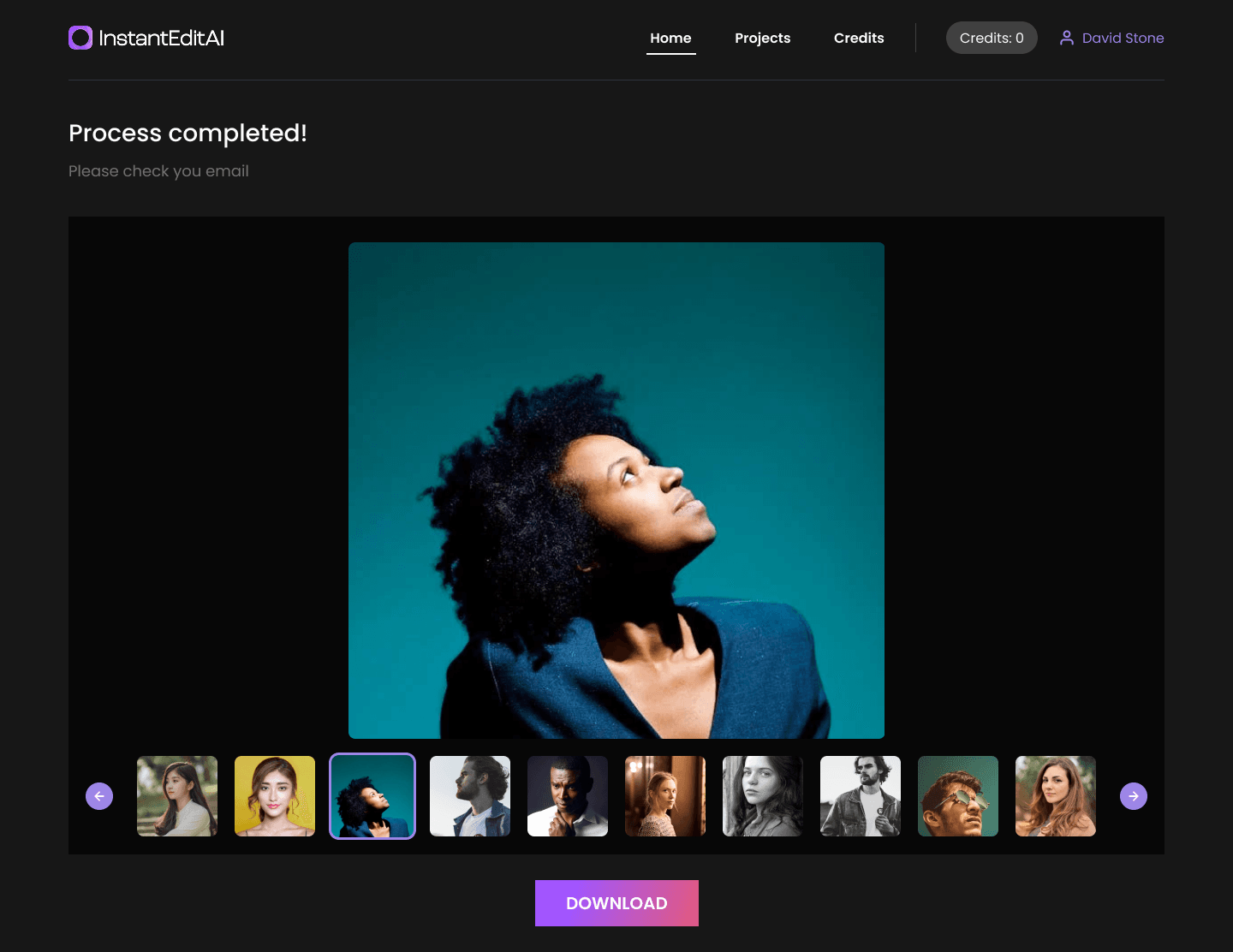
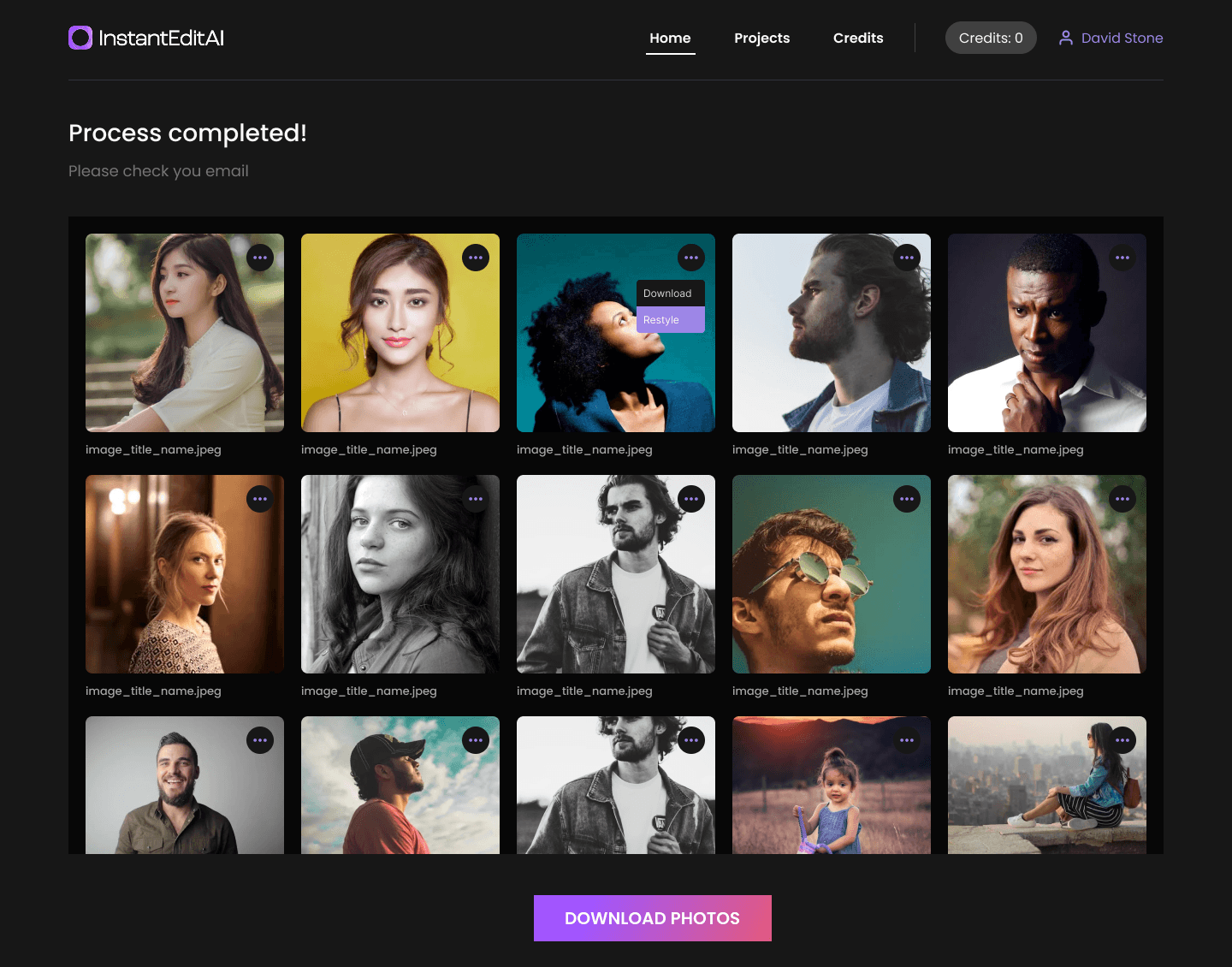
The final gallery uses lightweight previews so a photographer can inspect the set without downloading every full-resolution file first. Individual files and grouped archives provide practical ways to collect the work. The experience remains consistent whether the project contains a handful of photographs or a much larger event set.
Bringing cloud folders into the same experience
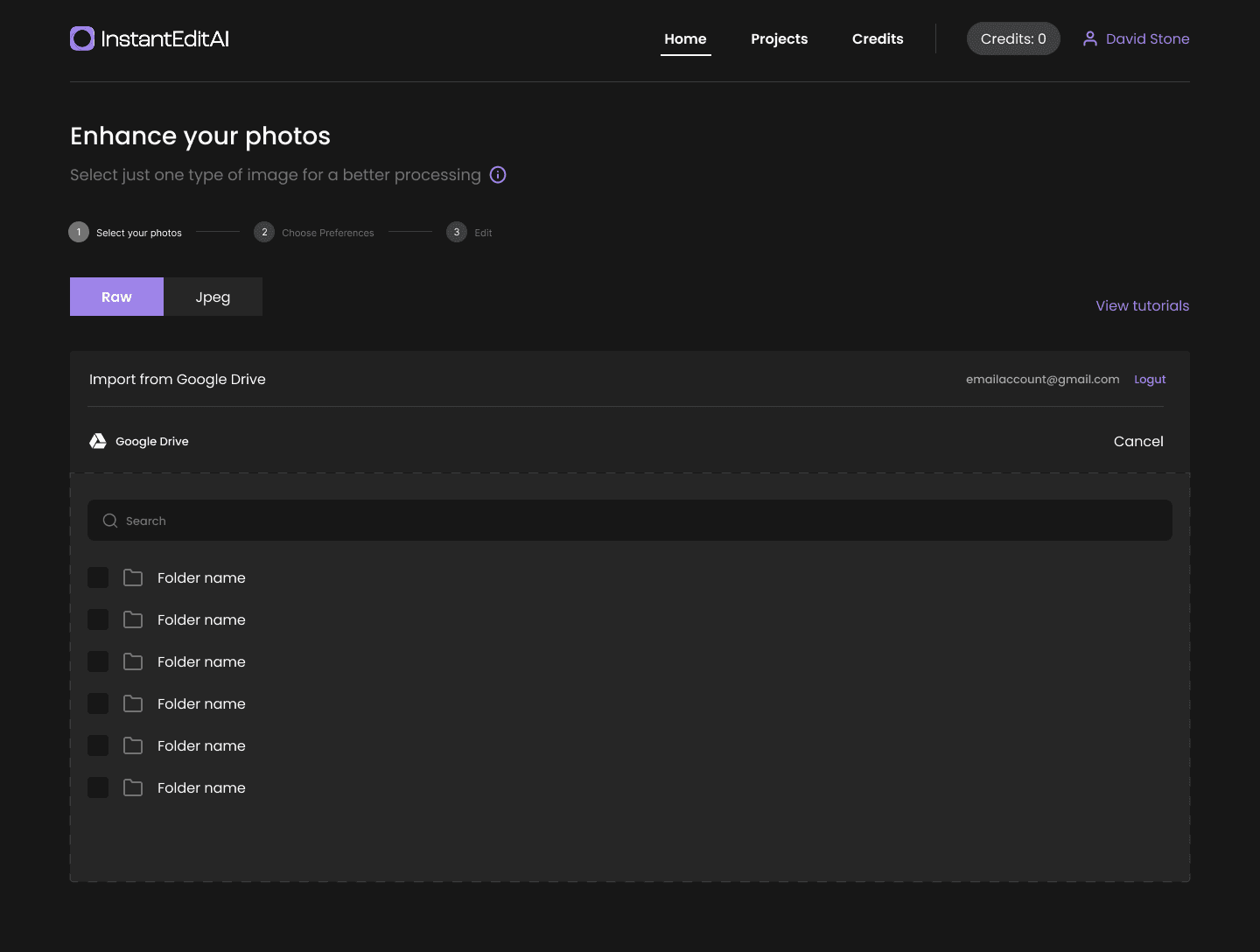
Studios often receive raw files through shared cloud folders. Requiring somebody to download an entire event and immediately upload it again would undermine the convenience of a browser product.
Google Drive sits alongside direct upload. After granting access, a photographer can browse folders and choose source material without turning their computer into a temporary transfer station.
Behind the interface, InstantEdit identifies supported images, moves them through editing, prepares previews and downloads, and can place completed files into the selected destination. The product presents this as another way to start a project, not a separate technical application.
Access is limited to the connected workflow and handled through the provider's authorization process. Folder contents, account tokens, and private studio records are not exposed in the public product story. What matters to the user is that an existing cloud-based handoff can become the beginning of an editing job.
Progress that remains useful during long-running work
Large image sets do not finish in a single browser request. Uploading, editing, exporting, preparing previews, and packaging results can each take time, and they do not always finish at the same moment.
The workflow uses persistent states. The browser initiates the work and reports progress, while background services continue after the user leaves. Editing-provider notifications advance the project when a stage is complete.
This separation improves the product in two ways. The interface stays responsive because it is not holding open one enormous operation. The processing layer can retry or report an isolated failure without pretending the entire project never existed.
Photographers can return to the projects area and see where the job stands. Completion messages give them a reason to come back when the files are ready. The application provides confidence during the wait without inventing exact promises it cannot guarantee.
Accounts that protect a resource-intensive service
AI-assisted image processing consumes paid infrastructure and third-party services. Anonymous access would make abuse difficult to control and would leave legitimate photographers with no reliable project history.
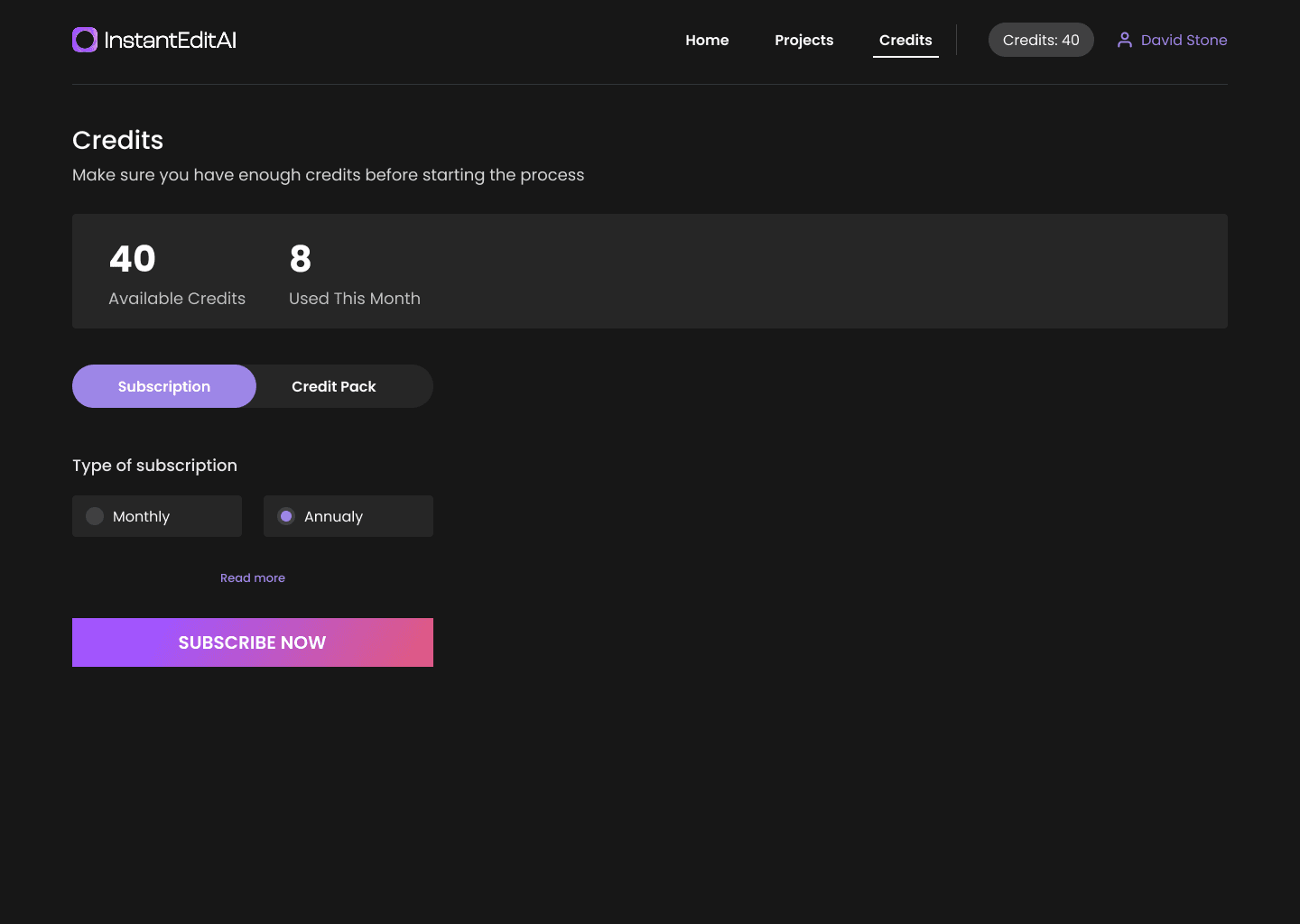
Registration and secure sign-in establish who owns each project, which editing preferences should be remembered, and where completion information belongs. The account area brings together current work, earlier projects, available usage, and subscription status.
This was a product decision as much as a security measure. A returning photographer should not have to rebuild default choices for every event or keep a browser tab open to retain access to results. Projects remain attached to the user and can be revisited through a familiar dashboard.
Authentication also gives the service a fair boundary around trials and paid use. It protects the processing capacity behind the product without placing technical rate-limit language in front of customers.
A credit model people can understand before processing
Different editing profiles and optional adjustments can require different amounts of processing. Charging a tiny separate transaction for every photograph would create a poor checkout experience and make it hard for users to understand their available capacity.
The credit model calculates expected use from the chosen profile, options, and number of photographs. The account confirms whether enough credits are available before the job begins.
Photographers can obtain credits through the available plans or one-time purchases. Checkout is handled by Stripe, while InstantEdit keeps the account balance and product access synchronized with the completed purchase. Payment details remain with the payment provider.
The model gives customers a visible unit inside the application and gives the client a controlled way to offer trials, recurring plans, and additional capacity. Exact commercial terms can evolve without rewriting the photo-processing experience.
Results prepared for review and practical delivery
An edited photograph is not useful if retrieving a large event becomes another manual project. InstantEdit prepares outputs for both quick review and full-quality download.
Thumbnail generation is part of the completion path. The gallery loads manageable previews while original results remain behind protected download links. Users can collect selected photographs or use grouped archives for a full set.
Large outputs are divided into manageable downloads. Temporary storage and controlled links prevent the service from becoming an indefinite public file host.
The details stay behind the product. A photographer sees a completed project, visual confirmation, and clear download actions. The service handles file preparation, grouping, and cleanup as part of the delivery promise.
Finding the useful boundary for automation
The engagement also included research into whether parts of video editing could be assisted in a similar way. The team explored footage quality signals, speech and music detection, scene understanding, and export formats used by professional editors.
That work produced a functioning research pipeline, but it also exposed a different product reality. Video interpretation was slower, less predictable across event conditions, and still required extensive human review. Turning the experiment into a customer-facing feature would have added considerable complexity without delivering the same clear benefit as the photography workflow.
We recommended pausing that direction instead of presenting experimental behavior as a finished capability. The research showed where automation saved work and where it only moved the review burden.
The decision kept InstantEdit centered on the workflow with stable output.
A service architecture built for heavy files
The customer-facing application is built with Next.js, React, and TypeScript. It manages the account experience, project setup, editing choices, status, results, and purchasing flow. PostgreSQL stores the product records needed to maintain those states.
Separate Node.js services and background queues handle the file-intensive work. They coordinate cloud-folder imports, AI editing, result preparation, thumbnail creation, grouped downloads, and completion messages. Object storage holds temporary processing assets and finished outputs behind controlled access.
Firebase supports identity, Stripe handles checkout, and Google Drive provides the optional cloud-folder route. The editing itself is performed through Imagen's professional photo-editing technology. Priority Soft connected these services behind one product model so users do not have to understand which system is responsible for each stage.
These boundaries also support maintenance. File-processing changes do not require redesigned account screens, and delays from an external service appear as project state instead of a broken page.
Product judgment beyond implementation
Priority Soft's contribution was not limited to connecting an editing API. We challenged assumptions that would have made the first release harder to use or operate, including anonymous processing, an oversized initial feature list, and synchronous handling of large batches.
We worked with the client to establish a direct first-use path, then added cloud storage and commercial features on top of the same project model. Design workshops gave the client working screens to react to before engineering decisions became expensive. The team could refine language, navigation, file feedback, and results behavior around a photographer's perspective.
When the product expanded, we protected the main experience by moving intensive work into dedicated services. When research did not support a responsible customer feature, we said so. Those choices gave the product room to grow without turning every idea into visible complexity.
The outcome
InstantEdit became a complete browser-based workspace for AI-assisted professional photo editing. Photographers can bring in raw images from their computer or cloud storage, select an editing approach, follow a long-running project, review previews, and retrieve prepared results from one account.
Priority Soft supplied the product design, web experience, service architecture, third-party integrations, purchasing flow, and production delivery needed to move beyond an automation proof of concept.
The finished product makes demanding processing feel straightforward without pretending the work underneath is simple. It gives photographers a clear route from an unedited event set to organized output, while keeping infrastructure, private customer activity, and sensitive commercial information where they belong: behind the application.