Rebuilding a field app around the work on the roof
Gutter-cleaning crews do not work at desks with reliable Wi-Fi. They move between properties, climb onto roofs, take large sets of before-and-after photographs, and may spend hours in places where a mobile connection is weak or unavailable. The application still has to know which job is active and make sure every photograph reaches the right record later.
Ken's Gutters already had a mobile app, but its field workflows could not support the wider operation. Offline uploads could fail, technicians had to reconstruct where photos belonged, and the product did not cover both residential and commercial work.
Priority Soft rebuilt the application around those constraints. We designed a simple Flutter experience for field crews, created an offline photo pipeline, added job and helper workflows, connected location and notifications, and integrated the mobile product with the company's existing CRM service.
Making offline behavior the normal case
Offline support is often treated as an edge case. For a technician on a roof, it is an ordinary part of the day. The camera must work even when the network does not, and the user should not have to understand queues or retry controls to preserve their work.
Ken's Gutters saves captured photos on the device first. The application records which job they belong to and places them in a pending upload queue. When connectivity is available, the queue resumes in the background and confirms each successful transfer.
The persistent upload pipeline survives a lost connection. Closing the app does not erase the queue, and failed transfers can retry without asking the technician to take the photographs again.
The field worker sees a simple count showing how much has uploaded and how much remains. That is enough information to build confidence without turning photo synchronization into another task they have to manage.
Keeping every photo attached to the right job
Photographs document the condition of a property, the work performed, and what the customer received. A photo attached to the wrong address can make the whole record difficult to trust.
The application captures job context at the moment the image is taken. It associates the file with the active work, records whether it belongs to the before or after set, and preserves useful time and location metadata through compression and upload.
The camera opens from inside each job. Technicians select the assigned property before taking pictures, so the relationship is established before a file enters the queue.
Existing gallery images pass through the same job-aware process. The backend and mobile interface present one evidence set whether a photograph came from the camera or the device gallery.
Returning technicians to the job in progress
Field apps are opened and closed constantly. A technician may lock the phone, switch to a map, answer a call, or have the operating system remove the app from memory. Asking them to search for the same job after every interruption creates frustration and increases the chance of a mistake.
When the application resumes, it checks for work in progress. If a job is active, the technician returns to it instead of starting from the general job list.
Job continuity protects data integrity. The active job determines where photos, comments, time, and status updates belong. Restoring that context protects the record.
Start, pause, resume, and complete actions record the day's state. A technician can step away and return without ending the job, while the office sees what is active and what is finished.
An interface stripped down for field conditions
The users of this app may be physically tired, wearing gloves, working in bright light, or using an older phone. A feature-rich camera screen with tiny controls would be a liability.
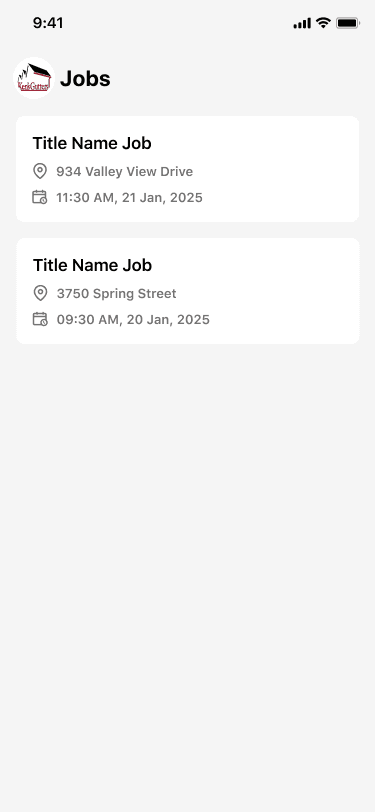
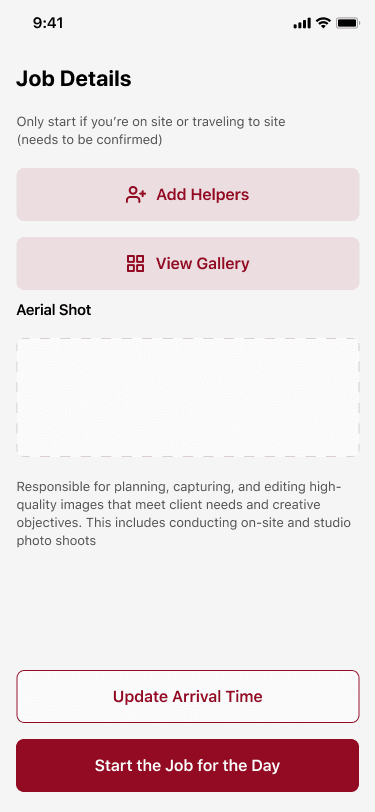
The core experience uses a small number of actions. The job list shows the property, timing, and current status. The detail view brings instructions, helpers, comments, gallery access, and the day's controls into one place. The camera focuses on the rear lens and the distinction between before and after work.
Permissions have a recovery path. If camera, storage, notification, or location access is missing, the app explains what is needed and opens the relevant device settings. Technicians are not left at a dead end with a feature that appears broken.
The camera can also sleep after inactivity to protect the battery during a long job. Small decisions like this matter more in field software than decorative transitions. The product has to survive the working day.
Jobs, helpers, and arrival information
A commercial job may involve a lead technician and additional helpers. The team needs to know who is attached to the work and give invited people a direct route into the correct job.
Ken's Gutters supports helper assignment and invitation links around the active work. Deep links can bring an invited person into the relevant registration or job context, with a web fallback when the application is not yet installed.
Technicians can review instructions, set or update arrival information, and receive notifications about assignments or schedule changes. Location supports operational awareness and the metadata attached to field photos.
Helpers, arrival information, comments, and notifications stay connected to the job. The property remains the center of the day's activity, and each person sees the information required to contribute.
A gallery that works with large evidence sets
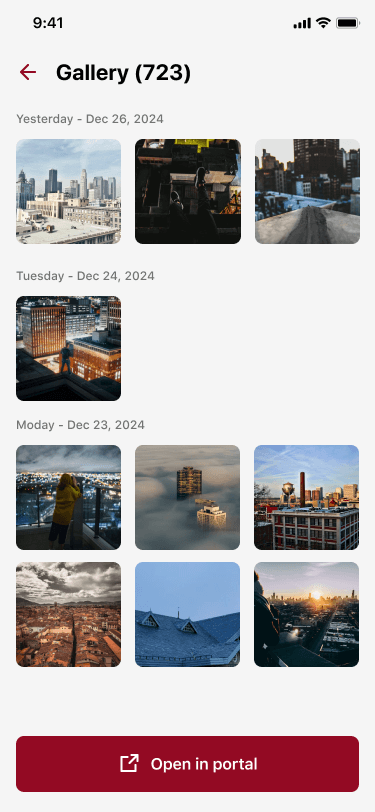
Commercial jobs can produce enough photographs to make a naive gallery slow and confusing. Loading every full-size image at once wastes bandwidth and memory, especially on the same mobile connections that made offline capture necessary.
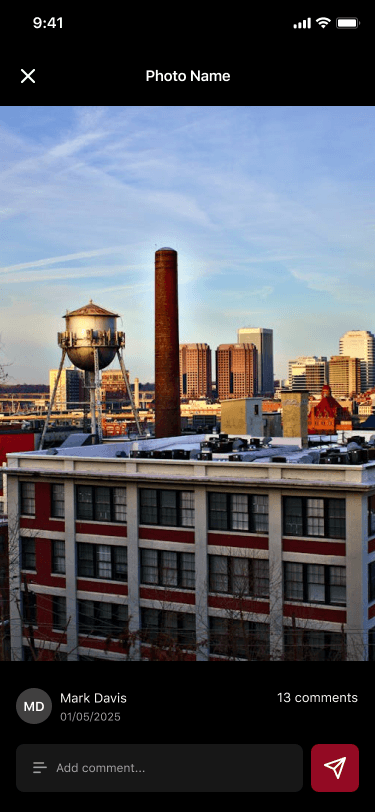
Paginated galleries and image caching make large jobs easier to review. Technicians can open photos at full size and add comments where more context is needed.
Compression reduces transfer size while retaining the visual detail required for proof of work. Useful metadata remains attached, so optimization does not strip away the context the business relies on.
The upload count and gallery have different responsibilities. The count explains whether files are still leaving the device. The gallery shows what has reached the shared job record. Keeping those states distinct made it possible to diagnose discrepancies during field testing instead of hiding them behind one generic "done" message.
Working with the existing business system
Ken's Gutters already manages customer and job information through Microsoft Dynamics and a custom service layer. Rebuilding that wider system would have duplicated business logic and introduced unnecessary risk.
The mobile application acts as a field client. It receives assigned jobs and instructions, sends status and location updates, uploads photographs, and registers comments and helper activity through the existing integration.
That boundary keeps the source of operational truth in the established system while giving technicians an experience designed for their environment. Office workflows can continue to use the CRM, and field improvements do not require the company to replace the platform behind them.
Authentication, retry behavior, and error handling are centralized inside the app's networking layer. The user sees a clear product response without being exposed to how the business system communicates.
Choosing one cross-platform foundation
The application requires deep access to the camera, background work, file storage, notifications, device permissions, and location. Those needs initially suggested separate native applications for iOS and Android.
Flutter provides one product foundation while allowing direct use of the native services the field workflow needs. The company avoids maintaining separate interfaces and synchronization logic for iOS and Android.
BLoC-based state management keeps jobs, uploads, connectivity, location, permissions, and the camera independent from individual screens. Local storage preserves authentication and pending work, while background services continue eligible uploads when the interface is no longer open.
Firebase supports messaging, analytics, and crash reporting. Centralized error monitoring gives the team useful information when a problem happens in the field, where reproducing it on a developer's desk may be difficult.
Improving the product through controlled field use
An offline photo system cannot be proven by a perfect office connection. Priority Soft moved the rebuilt app into limited field use first, gathered real job behavior, and expanded testing after the core loop was stable.
That process exposed issues that mattered: differences between queued and visible photos, reopening an active job, metadata on gallery uploads, and the balance between image quality and transfer size. We addressed those findings in the architecture and interface instead of treating them as isolated bug reports.
The work also led to stronger internal quality checks and dedicated test jobs. Field users should not be responsible for finding basic regressions in the product they depend on. We tightened the release process around photo capture, offline queues, galleries, permissions, and job completion before broader builds were shared.
What Priority Soft brought to Ken's Gutters
The camera is only the beginning of field software. The product also needs durable local storage, background synchronization, job context, useful metadata, and an interface that does not ask technicians to watch the upload.
We also challenged assumptions about technology and scope. A shared Flutter app could support the required device behavior. The existing CRM should remain the operational source. Commercial photo capture deserved attention before the product expanded into every possible workflow.
Those engineering decisions reduce the work technicians have to do in the field.
The outcome
Ken's Gutters gained a cross-platform field app that can follow a job from assignment through arrival, active work, photographic evidence, comments, helpers, and completion. Technicians can keep working without a connection and trust the application to synchronize their evidence when the network returns.
Priority Soft replaced a fragile mobile workflow with an offline-first product tied cleanly to the company's existing business system. The application preserves the right job, the right photos, and the right context even when the roof has no signal.