Making four scales behave like one measurement system
Corner weighting a vehicle depends on four readings, one beneath each wheel. Every scale must connect to the right corner, use the same units, and start from a valid zero point. One swapped device can undermine the setup.
LABA7 Scales turns that multi-device process into a guided mobile workflow. The app discovers four wireless scales, connects each one to a wheel position, walks the user through tare and calibration, displays live corner weight, and produces a report that can be saved or shared.
Priority Soft first proved that the phone could maintain communication with the hardware. We then built the Flutter app for Bluetooth setup, calibration, vehicle settings, weight calculations, visualization, and PDF output.
Proving the hardware connection first
Hardware projects carry a basic risk that ordinary app development does not: a polished interface is useless if communication with the device is unreliable. LABA7 Scales needed to maintain four Bluetooth Low Energy connections and keep each stream of readings associated with the correct wheel.
The work started with an Android proof of concept. It tested discovery, connection, and data reception against the real scale behavior before committing to the wider architecture.
The proof of concept showed how the devices identify themselves, send readings, and behave after a dropped connection. Priority Soft based the full application on that observed behavior.
The proof of concept covered the connection risk. After it succeeded, we moved the Bluetooth work into a shared Flutter foundation for iOS, Android, and the full setup flow.
Assigning every device to the correct wheel
The app must identify which device belongs to each wheel, not only which scales are nearby.
LABA7 guides the user through discovery and assignment. The interface shows connection state for each corner and keeps wheel positions visible during setup. It saves the configuration for the next session.
Device identity remains separate from wheel position. A scale can reconnect to its saved corner, while the user can reassign it after a physical setup change.
This prevents the app from showing four valid readings in the wrong positions. The digital layout must match the physical setup.
Calibration and tare as guided steps
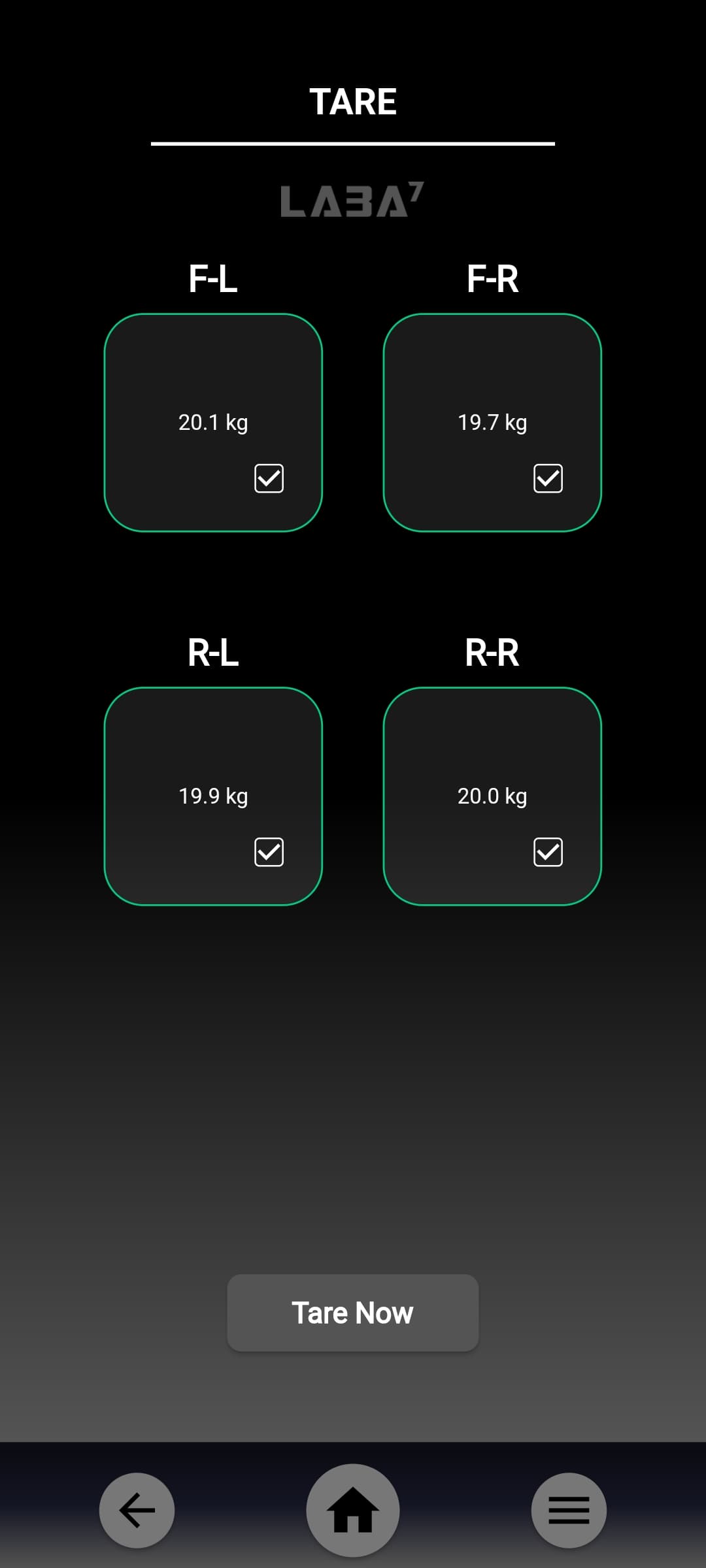
Before measuring a vehicle, the scales need a valid zero point. Calibration uses a known reference that applies to later readings.
LABA7 presents tare and calibration as guided workflows. Each step shows the device, required action, and completion state. The app flags missing or invalid setup before showing the final measurement.
Measurement rules remain outside the screens. The interface collects actions and reports progress, while the device and calculation layers own the resulting state. Navigation cannot alter the meaning of a reading.
The completed setup carries forward into the same measurement model used on the balance screen. Users can repeat the process without handling internal device communication.
Adding the vehicle context behind the numbers
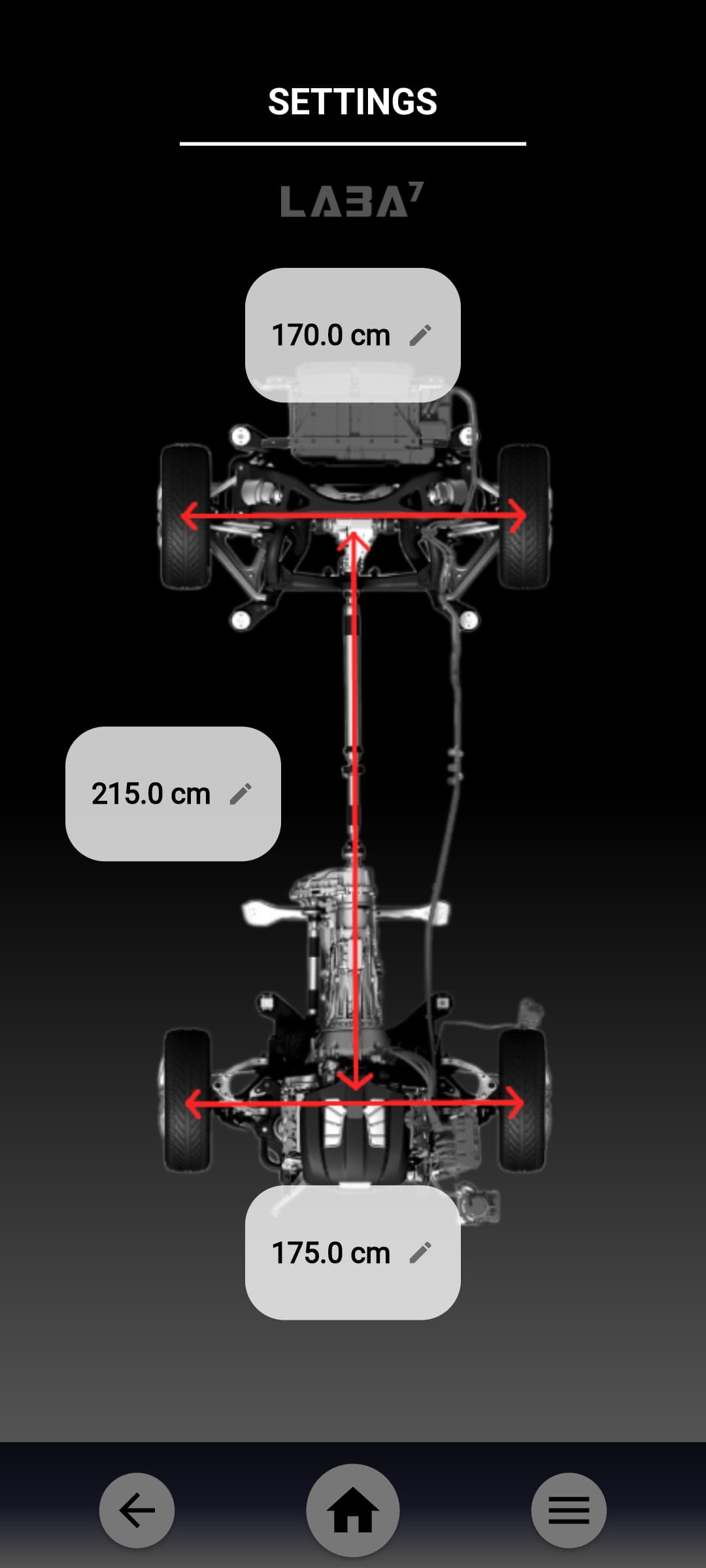
Vehicle setup needs context around the raw corner weights. Driver position and weight can change distribution. Fuel load depends on tank location, capacity, and density. Vehicle geometry affects how the user reads the result.
LABA7 allows those inputs to be configured as part of the vehicle. The application distributes driver and fuel adjustments across the relevant corners and incorporates them into the calculated view.
Each adjustment remains visible. The user can see whether the display shows the physical reading or a configured vehicle condition.
Saved settings reduce setup time for repeat measurements. A user can start with known geometry, preferred units, and load assumptions, then update the values that changed.
Seeing the vehicle balance
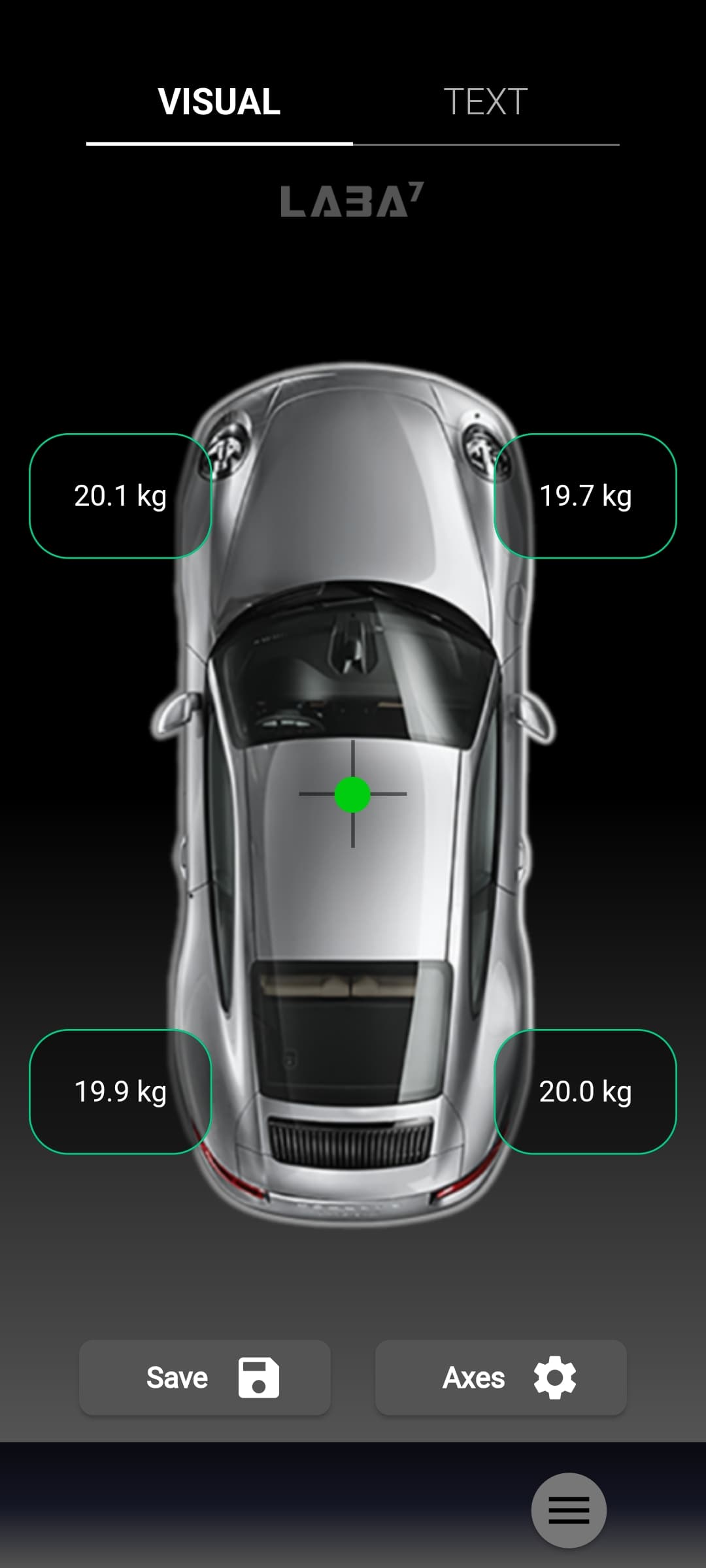
The main measurement screen gives every corner a clear place on a vehicle-shaped layout. Users can scan the front, rear, left, and right relationships without translating a list of device names.
Live readings feed totals and distribution measures. The same view shows overall weight, axle and side relationships, and cross balance. A change at one corner updates the vehicle-wide calculations.
Reactive data streams update the interface as scale readings arrive. Connection state remains separate from measurement state, so the user can distinguish a real change in weight from a device that has stopped reporting.
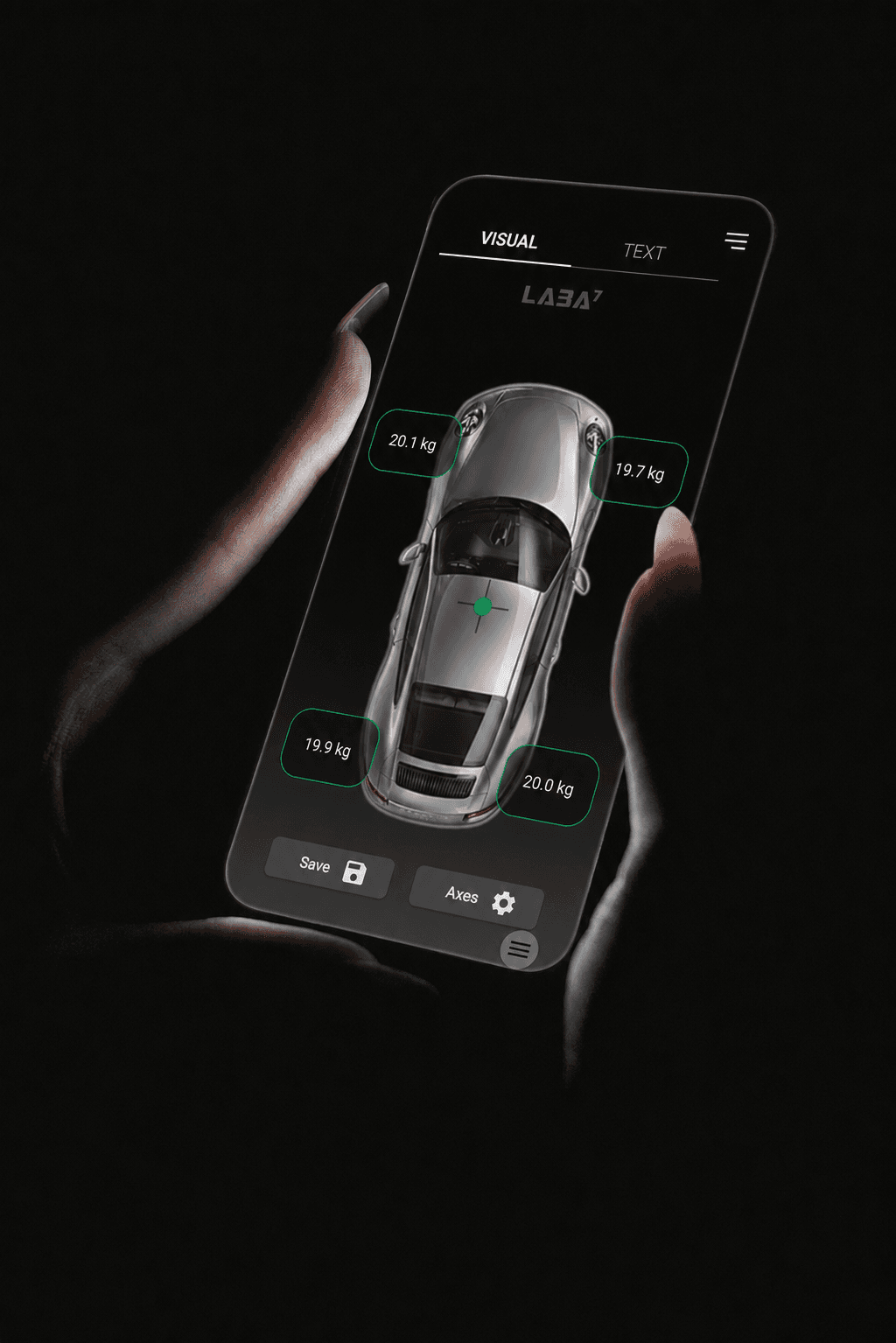
The app organizes four device readings around the vehicle that the user is adjusting.
Units and vehicle modes without duplicated logic
Users may work in different unit systems or with different types of vehicle setup. The product needs to adapt without maintaining a separate calculation path for every combination.
LABA7 changes display units while preserving one measurement model. Weight, length, volume, and density values remain consistent across formats.
Unit conversion happens at the calculation boundaries. Device readings enter in a known representation, calculations use consistent values, and the interface converts the result for display.
This approach avoids small rounding and conversion differences spreading across several screens. It also makes a saved report agree with the live view that produced it.
Reports that preserve the setup
A useful measurement often needs to leave the phone. A workshop may want a record of the vehicle configuration, the four corner values, and the calculated distribution before or after an adjustment.
LABA7 can create a PDF report from the current session. The user can store it on the device, reopen it, and share it through the operating system.
Reporting uses the vehicle settings, units, and results from the measurement flow. Users do not need to enter the same data in a separate form.
Customer reports remain local to the user. The feature gives a measurement session a durable output that can be reviewed away from the scale setup.
A Flutter architecture built around device state
LABA7 Scales uses Flutter and Dart for the mobile experience. Bluetooth Low Energy services handle discovery, connection, and readings from the four devices. BLoC and reactive streams keep setup, calibration, tare, settings, live measurement, and reports in defined feature areas.
Bluetooth behavior, preferences, calculations, and file output sit outside the screens. The interface reacts to state but does not own the hardware connection or measurement rules.
Local storage preserves assignments and vehicle configuration. The report service turns the current measurement model into a PDF without coupling document creation to the balance screen.
The architecture is purpose-built for a hardware companion: several asynchronous device connections feed one shared measurement state, and every feature needs to agree about what those readings mean.
Priority Soft's role
We proved communication first, then designed the full experience around stable device identities and wheel assignments.
Our team turned calibration, tare, vehicle configuration, and weight distribution into guided workflows. We exposed live connection state, preserved settings between sessions, and added a PDF report.
That combination of hardware testing and product engineering is the core of the work. The mobile app does not sit on top of the scales as decoration. It coordinates them and gives their readings practical meaning.
The outcome
LABA7 Scales gained a mobile control and reporting layer for four-corner vehicle measurement. Users can connect and assign scales, complete setup, configure the vehicle, watch live balance, and save a report.
Priority Soft connected four wireless devices through one app. The physical arrangement, calculation state, and report use the same wheel assignments from connection through the saved measurement.