One manager app over a scattered toolset
Running several service locations usually means working across several systems. A manager may check one source for performance, another for cameras, a spreadsheet for scorecards, separate forms for daily processes, and still more links for HR or finance. The information exists, but the route to it changes every time.
LOF Xpress needed a mobile layer that brought those tools together without forcing every department to replace the software it already used. Managers should be able to sign in once, choose an authorized location, and reach the information relevant to their role from one clear home screen.
Priority Soft mapped the existing operational setup, designed the role and location model, and built the Flutter application. We combined native dashboards with secure access to established resources, giving the organization a practical internal product without turning the first release into a company-wide systems migration.
Preserving useful systems while fixing the experience
Some existing forms and web resources already worked. The problem was that managers had to remember where each one lived and navigate interfaces that were difficult to use on a phone.
We separated systems that needed a mobile presentation from those that only needed a better entry point. High-value operational summaries became native app views. Established forms and resources remained in place behind controlled links or embedded web views.
Departments could continue maintaining the tools they understood, while managers gained a consistent shell around them. The app became the starting point for work instead of another destination on the list.
It also gave the organization room to integrate more deeply later. A resource can begin as a secure link and move into a direct data connection once its value and requirements are clear.
A home screen shaped by role and location
The first screen after sign-in is different for different people. A manager responsible for one location should not see the same choices as somebody overseeing several locations or working with HR and finance information.
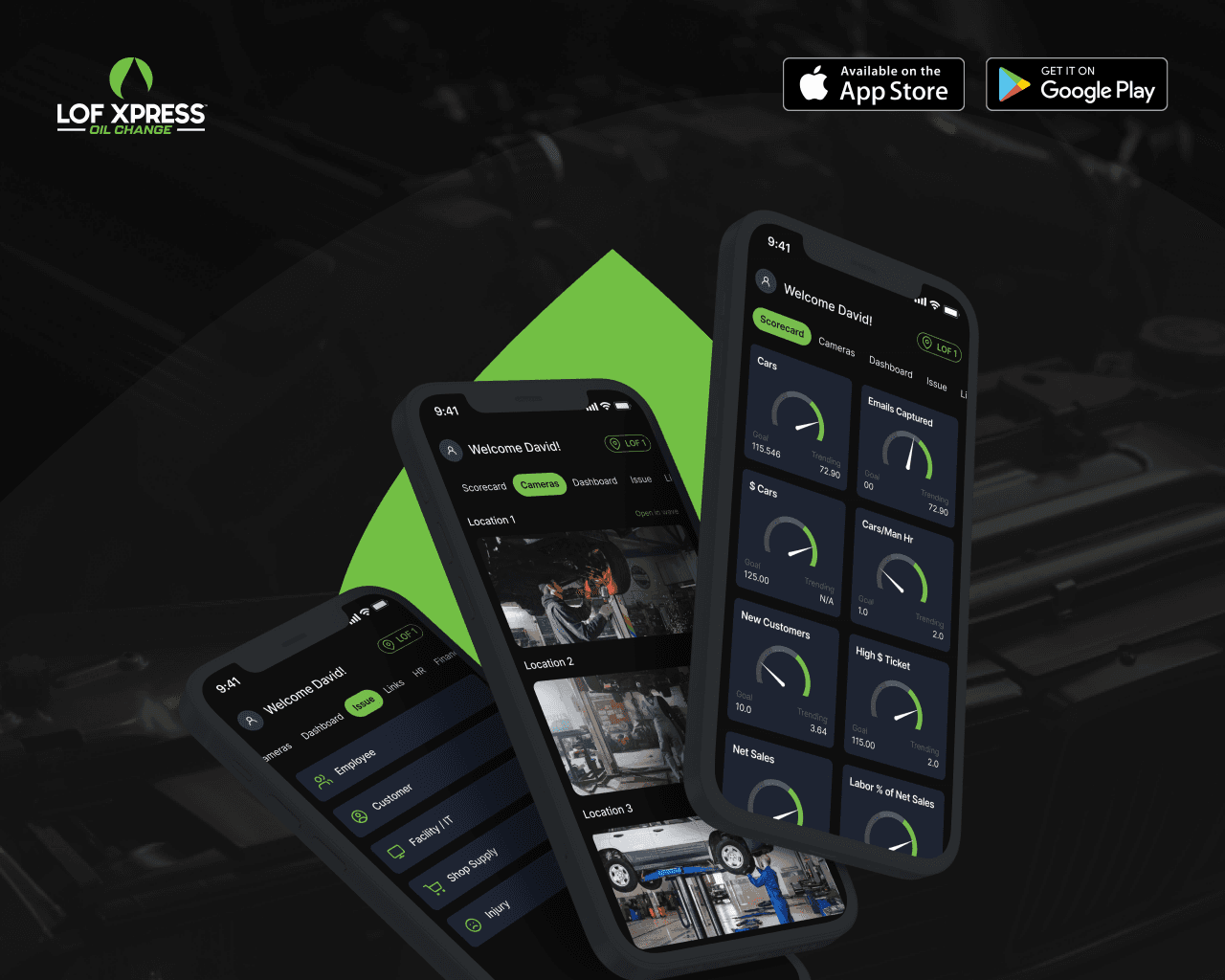
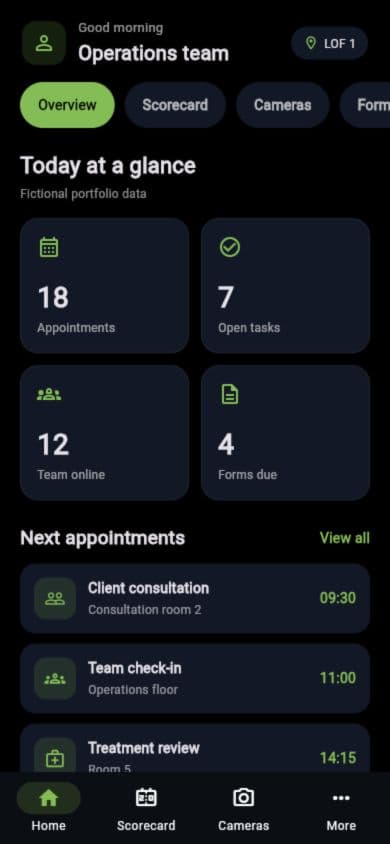
LOF Xpress loads the user's permitted locations and role, then builds the home experience around those boundaries. Users can select a location and move into its dashboard, scorecard, camera access, forms, or related resources. Sections outside their responsibility do not compete for attention.
Role and location remain separate dimensions. A person may have the same operational role across several sites, or broader access that reveals additional organizational areas. This avoids creating a different role for every possible combination.
Access rules determine what appears on each employee's home screen. The interface uses the same navigation pattern across every permitted area.
Switching locations without starting again
Multi-location managers need to compare and move between sites throughout the day. Logging out or returning to a separate portal for every location would defeat the purpose of a consolidated app.
LOF Xpress keeps the current location visible and provides a direct way to switch. Dashboards, scorecards, cameras, and forms then update to the selected context. The user always knows which site they are reviewing before taking an action.
Location context is part of the application state. Every area reads from the same selected location, reducing the chance that a screen shows information from the wrong site.
The location switch respects permissions. Users can move only among assigned locations, giving regional or senior managers wider access without opening every site to every account.
Turning large scorecards into mobile decisions
Operational workbooks can contain dozens of tabs and far more measures than someone can absorb during a quick phone check. Copying the spreadsheet into a smaller screen would preserve the problem.
The organization identified the measures that deserved a mobile summary. Dashboards and scorecards present the numbers and states that show whether a location needs attention. Deeper material remains available through the established source.
The mobile views favor scanning. Clear hierarchy, status treatment, and location context replace dense rows and frozen columns. Managers can move from the summary toward the relevant resource without learning the structure of the underlying workbook.
This is one of the most important product judgments in LOF Xpress. The app does not claim that every internal number belongs on the home screen. It gives the most useful information a better form and leaves specialist analysis where it already works.
Camera access inside the operating context
Camera systems are another tool managers may check while reviewing a location. LOF Xpress makes permitted camera views accessible from the same location-aware navigation used by dashboards and forms.
Camera access follows role and site permissions. Users see feeds for the selected location without browsing a separate camera system containing other sites.
The application acts as a controlled entry point; it does not expose camera addresses or access secrets in the public interface. Managers gain a shorter route to the operational view they need, while the underlying camera service continues handling the feed itself.
This keeps the feature proportionate. The app does not attempt to become a full video-management platform. It places existing visibility beside the other tools a manager uses to understand the location.
Forms and links that feel like part of one product
Daily forms, employee resources, and finance tools often come from different owners inside an organization. They change on different schedules and may not share a technical foundation.
LOF Xpress groups those destinations under a consistent navigation model. Dynamic links can direct users to the current form or resource without requiring a new mobile release every time the destination changes. Embedded views keep appropriate web processes inside the app when that creates a smoother experience.
Loading, return, and error states surround linked resources. A linked form always provides a route back to the application.
Role checks keep sensitive areas such as HR or finance available only to authorized users. The app makes those resources easier to reach without flattening the access controls that separate them.
Identity controlled by the organization
The application verifies who is signing in before deciding which locations, dashboards, cameras, and resources to present.
LOF Xpress uses Firebase Authentication and supporting cloud functions for sign-in and account-aware service behavior. The product can support the identity methods required by the organization while keeping authorization decisions connected to internal roles and locations.
Account state is centralized, so individual features do not invent their own interpretation of access. Dashboard, scorecard, camera, form, HR, and finance modules all use the same authenticated user and permitted context.
Employee information, operational values, camera feeds, internal links, and financial records remain behind that boundary. The public case study describes the shape of the product without publishing the organization's private operating data.
A Flutter architecture organized by feature
LOF Xpress is built with Flutter and Dart. BLoC and feature-specific cubits manage authentication, locations, dashboards, scorecards, cameras, forms, and dynamic links. Each area owns its loading, success, and error behavior while using shared account and location state.
Firebase provides identity and cloud services. Secure web views and dynamic links connect the mobile app to existing systems, while native Flutter screens handle the summaries and interactions that benefit from a purpose-built mobile experience.
Integration details remain outside the presentation layer. A dashboard requests the operational view it needs, while sign-in and location authorization stay separate. Linked resources receive the current context through a controlled path without exposing internal configuration.
This structure suits a product designed to grow gradually. New native modules can replace or complement linked resources without changing the way users sign in, select a location, or move through the app.
What Priority Soft brought to LOF Xpress
We did not begin by rebuilding every spreadsheet, form, camera system, and departmental tool. Native mobile views cover the workflows that benefit most, with a consistent route to the rest.
We designed the role and location model, reduced large scorecards to useful summaries, and gave managers one application that respects the boundaries already present in the organization. The technical work and the product decisions reinforced each other.
This approach put LOF Xpress into use sooner and left a path for deeper integration. The organization gained a mobile operating layer instead of another isolated system to maintain.
The outcome
LOF Xpress gained a delivered manager application that brings multi-location operations into one role-aware experience. Authorized staff can select a site, review dashboards and scorecards, open camera views, submit forms, and reach HR or finance resources without navigating a maze of workbooks and bookmarks.
Priority Soft consolidated the experience while preserving systems that still worked well. Managers now have one place to begin, and the organization has a mobile foundation it can extend as its operational tools evolve.