Turning a service brochure into a guided conversation
Wedding photography packages are hard to explain in a static document. Couples need to consider event coverage, photography or film, service levels, and extras specific to their celebration. A long price list makes those decisions feel like homework.
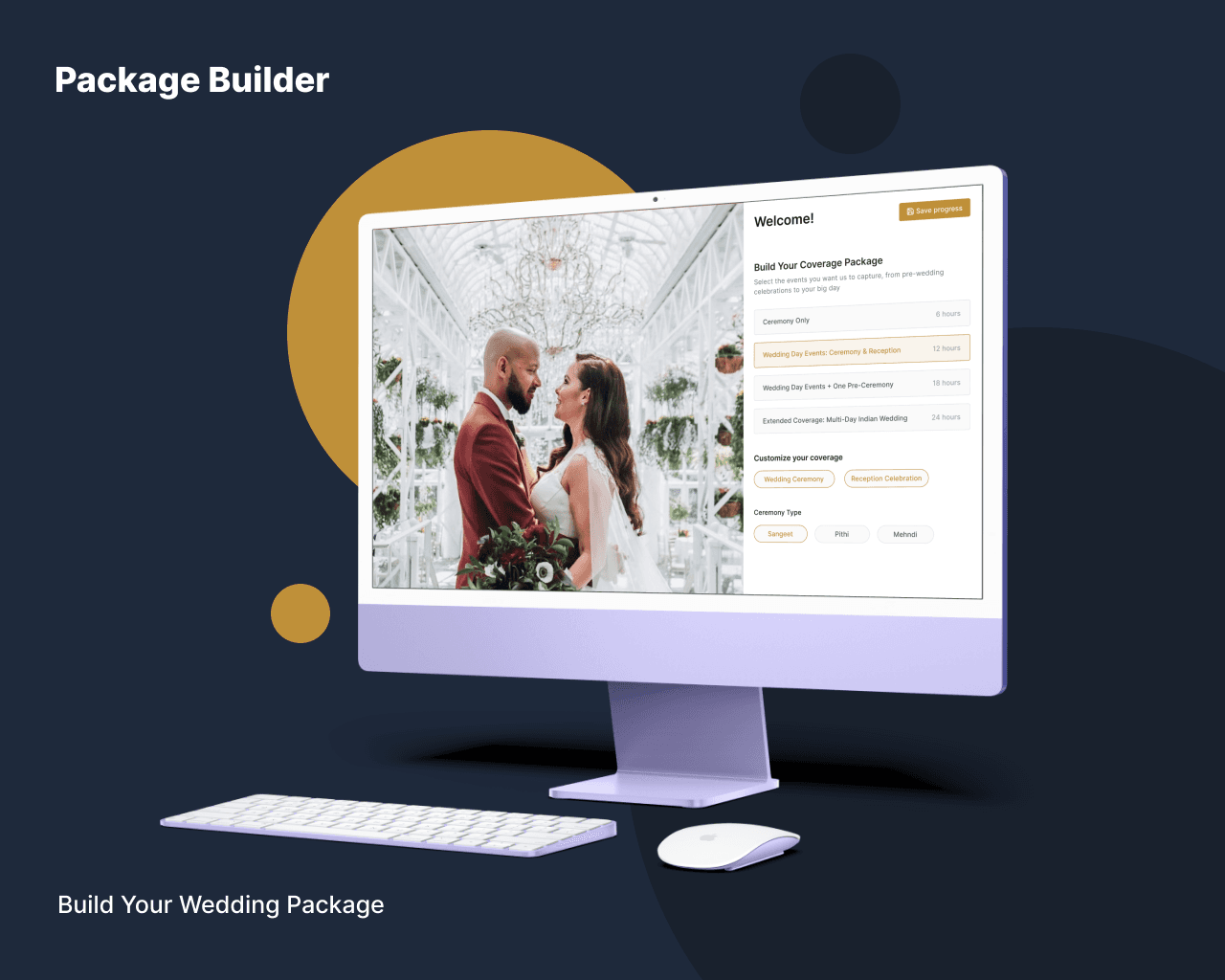
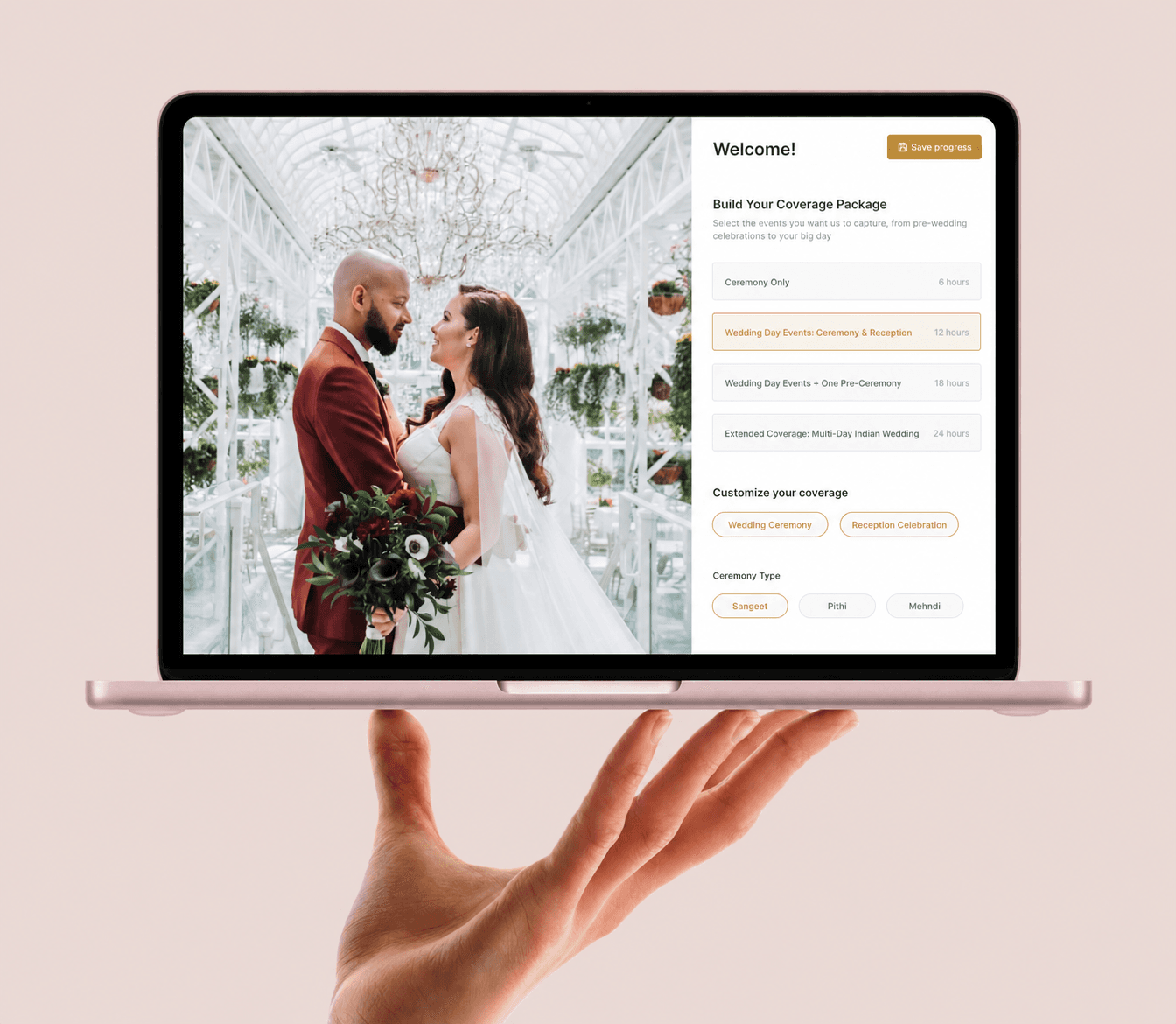
Package Builder turns the same material into an interactive planning experience. Couples can explore the available coverage, compare packages, add services, see the selection come together, and send a detailed consultation request to the studio.
Priority Soft designed and built the complete customer-facing application. We translated a complex service catalogue into a responsive configurator, created the selection and calculation logic, connected it with the client's existing service, and carried the interface from collaborative design through production delivery.
Giving couples a useful place to begin
Most prospective clients do not arrive with a precise specification. They know the shape of their wedding and the kind of memories they want, but they may not understand how coverage hours, events, photographers, cinematographers, albums, and optional production services fit together.
The first responsibility of Package Builder is therefore orientation. It breaks the offer into understandable sections and lets the couple move through them without committing to a purchase. The interface always shows what is being considered and how each new choice changes the overall package.
The configurator asks questions a couple can answer. They select the events that need coverage, explore photography and film services, and add relevant extras. The interface hides internal product codes and sales terms.
The couple reaches the first conversation with a concrete starting point and a record of the options they considered. Studio staff no longer have to recite the full catalogue before discussing the event.
Letting the work carry the visual experience
Photography is bought with the eyes. A configurator that devoted the whole screen to controls would hide the strongest evidence the studio has: its own work.
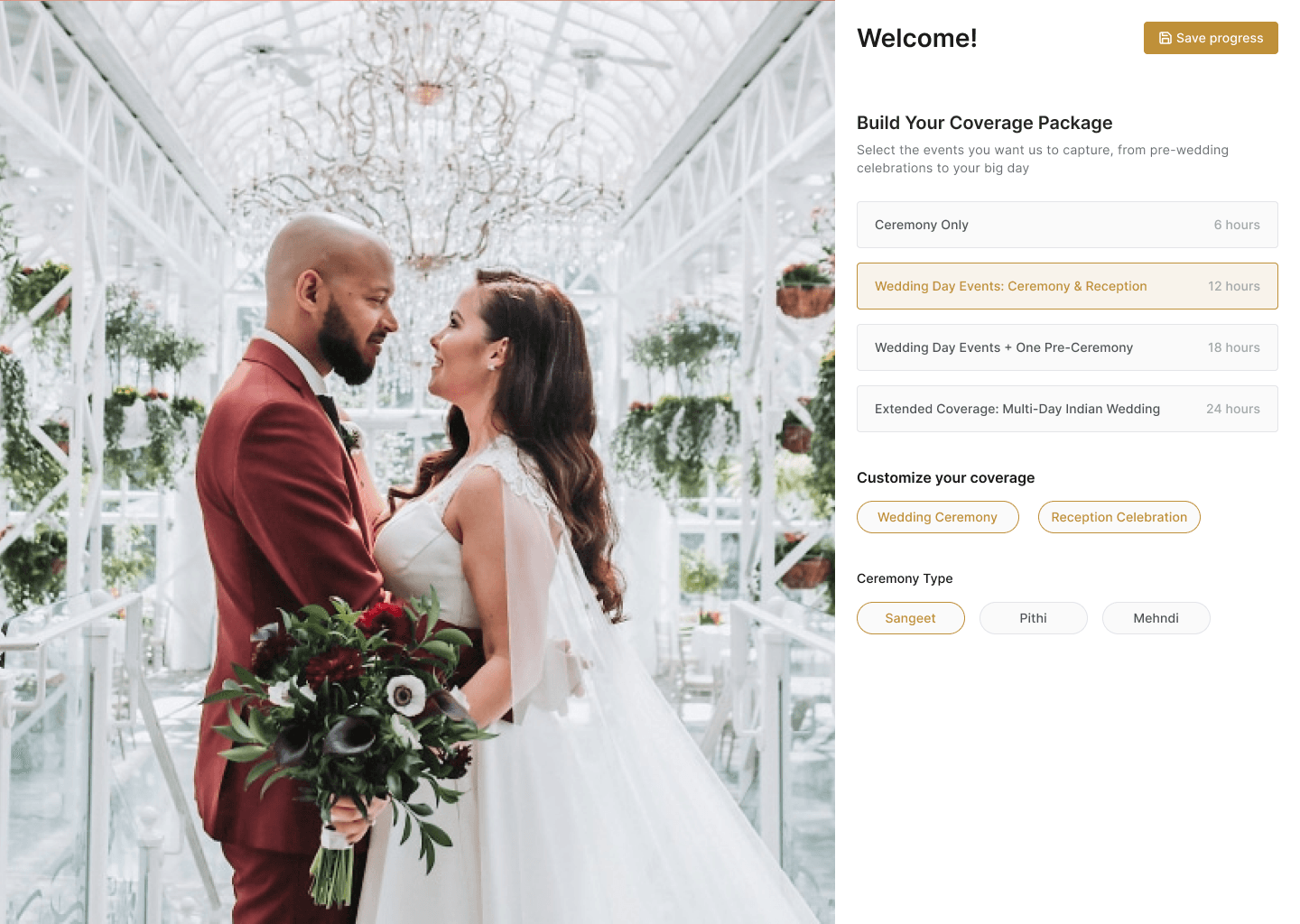
On larger screens, photography or film occupies a generous visual area beside a focused configuration panel. The media changes as the user explores different services.
The layout gives the interface a polished editorial quality without turning the media into decoration. It helps couples connect a service label with the kind of result they may receive.
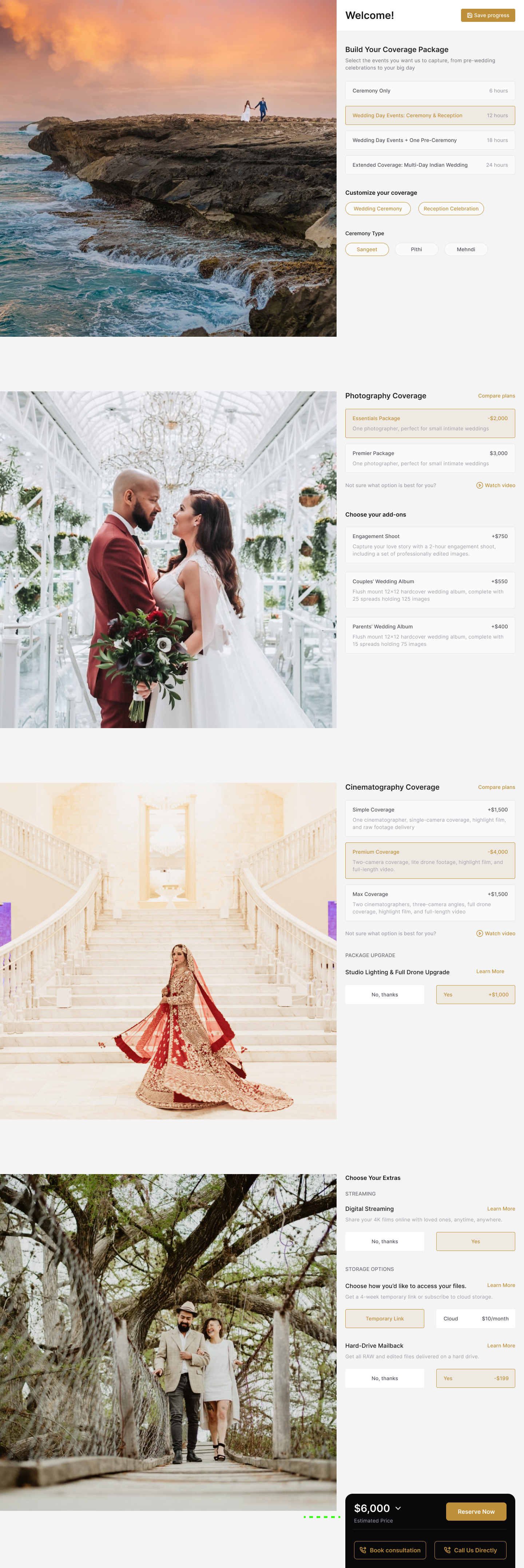
On smaller screens, the layout changes for touch. Media appears beside the decision it supports, controls use the available width, and the running summary stays within reach. The mobile composition has its own order and spacing.
Comparing packages without losing context
Named tiers are convenient for a studio, but the names alone tell a couple very little. People need to see which services are included, where packages differ, and whether the higher tier matters for their plans.
Package Builder presents each option with a short description and its included services. A comparison view places relevant packages side by side, so couples can see the differences on one screen.
Selection remains available inside the comparison. Couples can choose a package and return to the same configuration state. Longer descriptions appear on demand, keeping the main panel readable.
The studio can explain each offer without labeling one package as best for everyone. Couples get enough structure to choose based on their plans.
Connecting services to the events they cover
A wedding may include several cultural or family events across different locations and dates. Photography and film choices need to match that event plan.
Event selection is part of the product model. Couples identify the celebrations that need coverage and relate available service packages to them. Suggested combinations provide a starting point without locking them into a fixed bundle.
The builder can account for an initial event, additional events, package combinations, and applicable adjustments as the configuration changes. This calculation stays consistent across the selector, expanded summary, and final review.
Event choices also shape the consultation form. The application asks for venue and scheduling information in the context of the selected celebrations, so couples are not presented with irrelevant fields and the studio receives a more useful request.
A running summary that keeps the total legible
Interactive configuration becomes frustrating when users have to remember which options they chose or wait until the end to learn the effect. Package Builder keeps a running summary visible throughout the experience.
The compact view shows the current total and the next step. An expanded summary lists each selected event, service package, and extra. Users can return to any part of the builder and revise a choice without starting over.
One calculation model powers every presentation of the selection. Package prices, applicable combinations, and adjustments come from the supplied configuration and use the same rules wherever the total appears.
Couples see the choices and public amounts that apply to their package. The product and this case study omit private margins, negotiation practices, and commercial records.
Configuration driven by the studio's service catalogue
Wedding services change. A studio may revise its tiers, introduce a new album, update an event option, or change the order in which services are presented. Hard-coding that catalogue into visual components would turn ordinary content maintenance into a development project.
The frontend reads sections, packages, included services, media, events, extras, and public prices from the client's service. The app maps those records to a stable set of interface patterns.
Service packages use the comparison and selection pattern. Event groups use coverage controls, while extras use a smaller choice component. The studio can change the content without redesigning the experience.
This boundary matched the delivery scope. Priority Soft owned product design and the customer-facing React app. The client retained its service and business administration. We connected the two through a typed integration.
Carrying a considered package into consultation
The product is designed for a high-touch service, not an impulsive online purchase. A wedding package often needs a final conversation about availability, locations, logistics, and personal priorities.
Package Builder moves a completed selection into a short reservation request. The first step captures contact information for follow-up. The second asks for the venue, date, and time of the selected events.
Location suggestions reduce typing and help produce consistent venue information. Date and time controls make scheduling easier to scan than free-form notes. Validation explains missing information before submission while preserving the work the couple has already done.
A final review brings contact, events, services, extras, and the public total into one readable page. The couple can confirm the request knowing what will be sent, and the studio receives structured context for a productive consultation.
Personal recommendations that remain editable
Studio staff may speak with a couple before sending them to the builder. Requiring the couple to recreate every recommendation would waste that conversation.
Shareable links can open Package Builder with recommended events and packages selected. The user can inspect the proposal, compare packages, and change any option.
This makes the application useful during the sales process as well as before it. Staff can prepare a starting point after a call, send it for review, and receive the eventual consultation request with the couple's changes included.
The public link contains product selections. It omits private client notes and internal commercial information. Users enter contact and event details through the protected request flow, so those details never appear in the shareable address.
State that survives normal browsing behavior
Configuring coverage takes attention, and couples may pause to discuss an option or look up a venue. A page refresh should not erase that work.
The application preserves the active selection in the browser and restores it when appropriate. Centralized state keeps packages, extras, events, previews, summaries, and the consultation form working from the same configuration.
The total comes from the source choices. Removing a package updates its dependent selections and summary at the same time. Returning from a comparison leaves one current version of the selection.
Loading and empty states received the same attention as the ideal path. If configuration data is still arriving, the layout remains stable and explains that content is loading. If an optional section is unavailable, the rest of the builder can still make sense.
Responsive interaction across devices
A couple may plan on a laptop at home and use a phone while visiting venues. Each device changes how they compare options and enter details.
On desktop, the split layout supports visual browsing and detailed comparison. On mobile, larger controls and shorter rows make option lists easier to scan. The current total remains visible without covering the content. Dialogs, calendars, location search, and package comparison also adapt to the smaller viewport.
Mobile testing covered information order, space for video and photography, and persistent actions. The layout does not assume a pointer, hover state, or wide table.
Reusable components handle keyboard interaction, labels, focus management, and dialog behavior. The custom visual design uses those same accessibility rules.
A modern frontend with clear boundaries
Package Builder uses React, TypeScript, React Router, and Vite. Redux Toolkit manages the interconnected configuration state, while form schemas keep contact and venue inputs consistent. Tailwind CSS and accessible component primitives support the responsive design system.
Google Places assists with venue entry, and media components handle image and video previews. The app reads package data and submits consultation requests through the client's service. Static rendering and route-based loading reduce the initial wait. A browser fallback handles information that requires a live request.
Service access, configuration, and interface components remain separate. The same package data drives cards, comparisons, summaries, and submissions through one model.
This is enough technical structure to support the product without exposing private service addresses, request formats, source repositories, or deployment secrets.
Priority Soft's role
We decided how couples should move through the catalogue, how the studio's work should sit beside the configuration, and where package comparison belongs in the process.
We designed the desktop and mobile experiences, established the dynamic content model, and built the calculation and state logic. The consultation flow carries the completed selection to the studio for an informed conversation.
Couples can organize their questions before speaking with the studio. The studio receives a lead with the event and preferences set out in a consistent format.
The outcome
Package Builder gives a wedding studio an interactive way to present a complex set of photography and cinematography services. Prospective clients can explore the work, compare packages, assemble event coverage, understand the public total, and submit a detailed request from desktop or mobile.
Priority Soft delivered a reusable design and frontend application. The client can change its catalogue through the service while the customer flow keeps the same structure.
What was once a static explanation becomes a useful planning session. The technology stays in the background, and the couple reaches the consultation with a package they can understand, question, and refine.