One marketplace for many categories
A classified marketplace looks consistent from its home page, with search, categories, listings, and sellers. The differences appear when somebody creates an advertisement. A vehicle and a property need different details, as do a phone, sofa, and item of clothing.
Voursa brings those categories into one multilingual marketplace. Visitors can browse and search, narrow results with relevant filters, inspect media and structured listing information, contact a seller, and move into business storefronts. Sellers receive category-aware forms and a management area for their advertisements.
Priority Soft owned product discovery and the complete Next.js frontend while a separate team developed the service layer. We designed the application model, reusable interface, localization, right-to-left behavior, and integration definitions needed to let both teams deliver in parallel.
Building a shared marketplace language
Separate applications for each category would cost too much to maintain and confuse visitors. One generic form would leave the listings too vague to be useful.
Every category shares a foundation: title, media, description, seller, location, public amount, listing state, contact actions, and promotional treatment.
Category modules then add the attributes that make a vertical useful. Property can present its own descriptive details. Vehicles can use another set. Electronics, furniture, clothing, and general goods can each define the information and filters appropriate to them.
Voursa behaves like one marketplace. Users learn the navigation once, and the client can add a category without copying galleries, seller cards, errors, or listing management.
A home page that supports several ways to begin
Some visitors know the exact product they want. Others browse a category or look through recent featured listings.
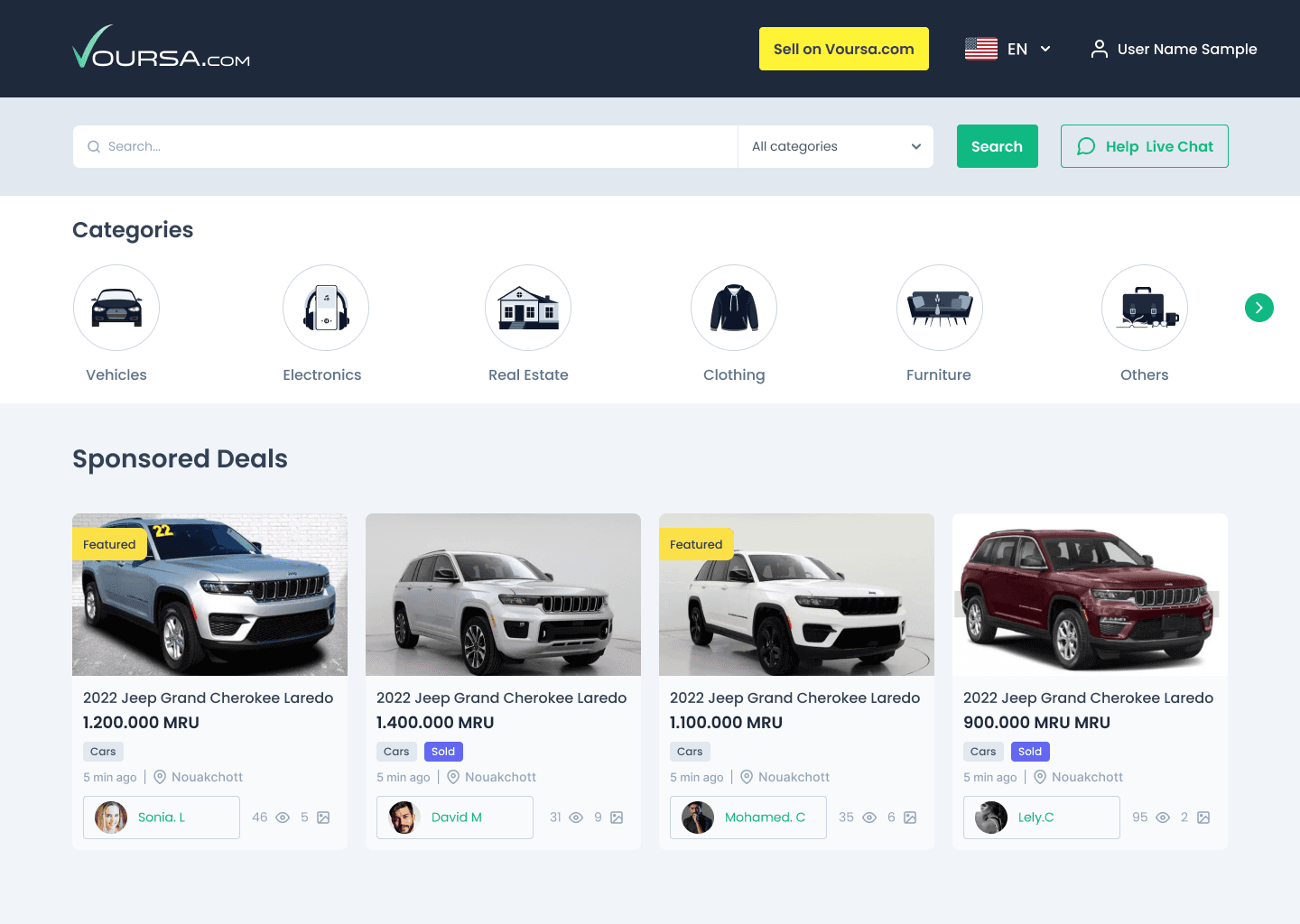
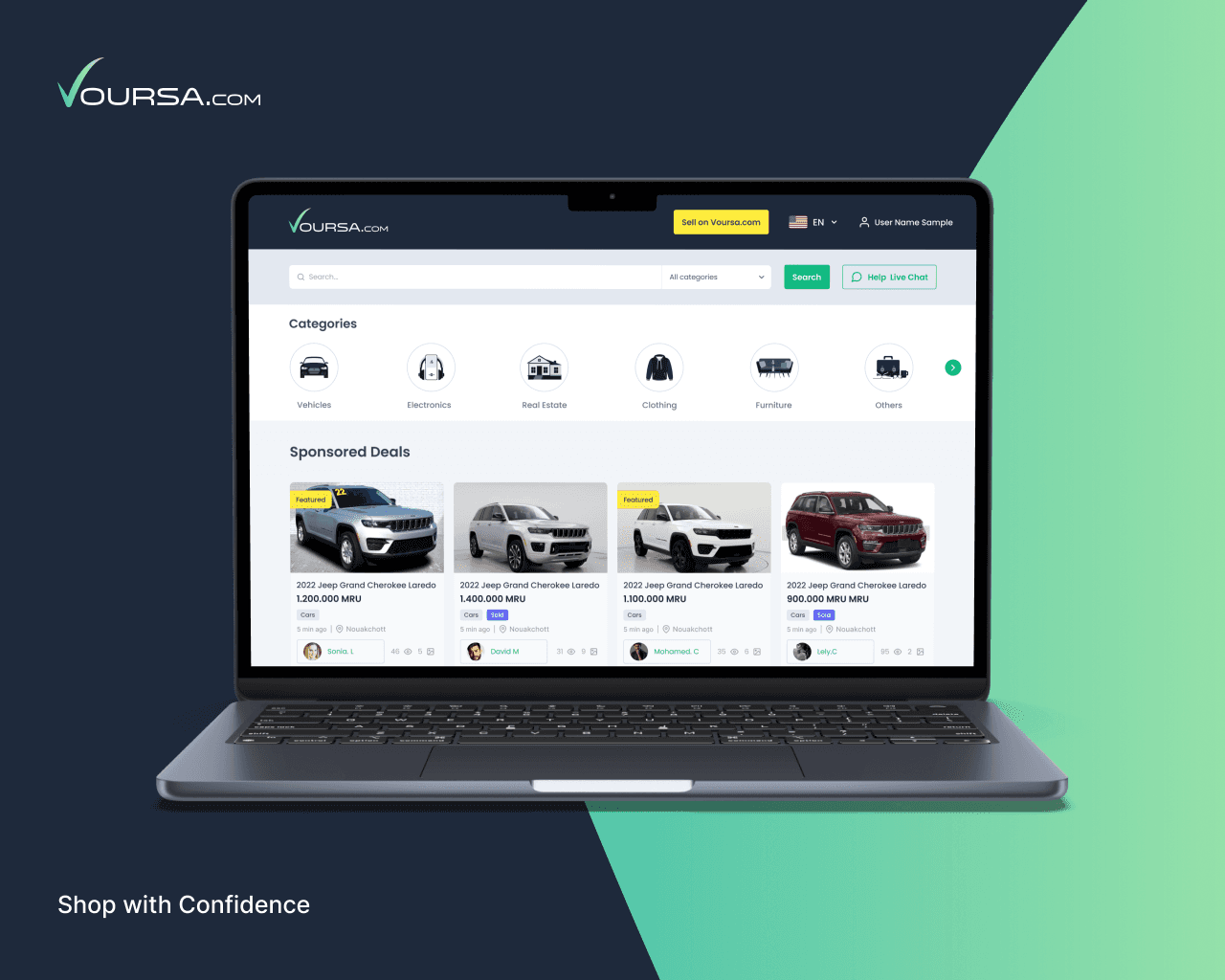
Voursa combines prominent search with category navigation, sponsored inventory, current listings, and clear seller entry points. The hierarchy lets a visitor begin with a phrase, choose a vertical, or browse curated placements.
Reusable cards keep essential listing information consistent while allowing category cues where they matter. Image treatment, seller context, location, and public offer information remain easy to scan.
The home experience adapts across desktop and mobile. Large screens can show more inventory without becoming crowded, while smaller screens keep search and categories within reach and preserve useful image proportions.
Search and filters shaped by category
A universal keyword box is not enough for a serious classified product. People searching for a home make different comparisons from people searching for a car or device.
Voursa starts with shared search and location behavior, then loads the controls relevant to the selected category. Filters can represent appropriate ranges, types, conditions, and other public listing attributes without showing an enormous universal panel.
Filters remain connected to their results. Applied criteria stay visible, users can clear them, and the state remains in place as they move between results and listing details.
Loading, no-result, and error states explain what happened without making the visitor reconstruct the query. The service request remains isolated from the visual controls, so a backend change to one category does not require rebuilding the complete search page.
Listing detail designed around confidence
A listing page has to answer three questions: what is being offered, is it relevant, and how can the seller be reached?
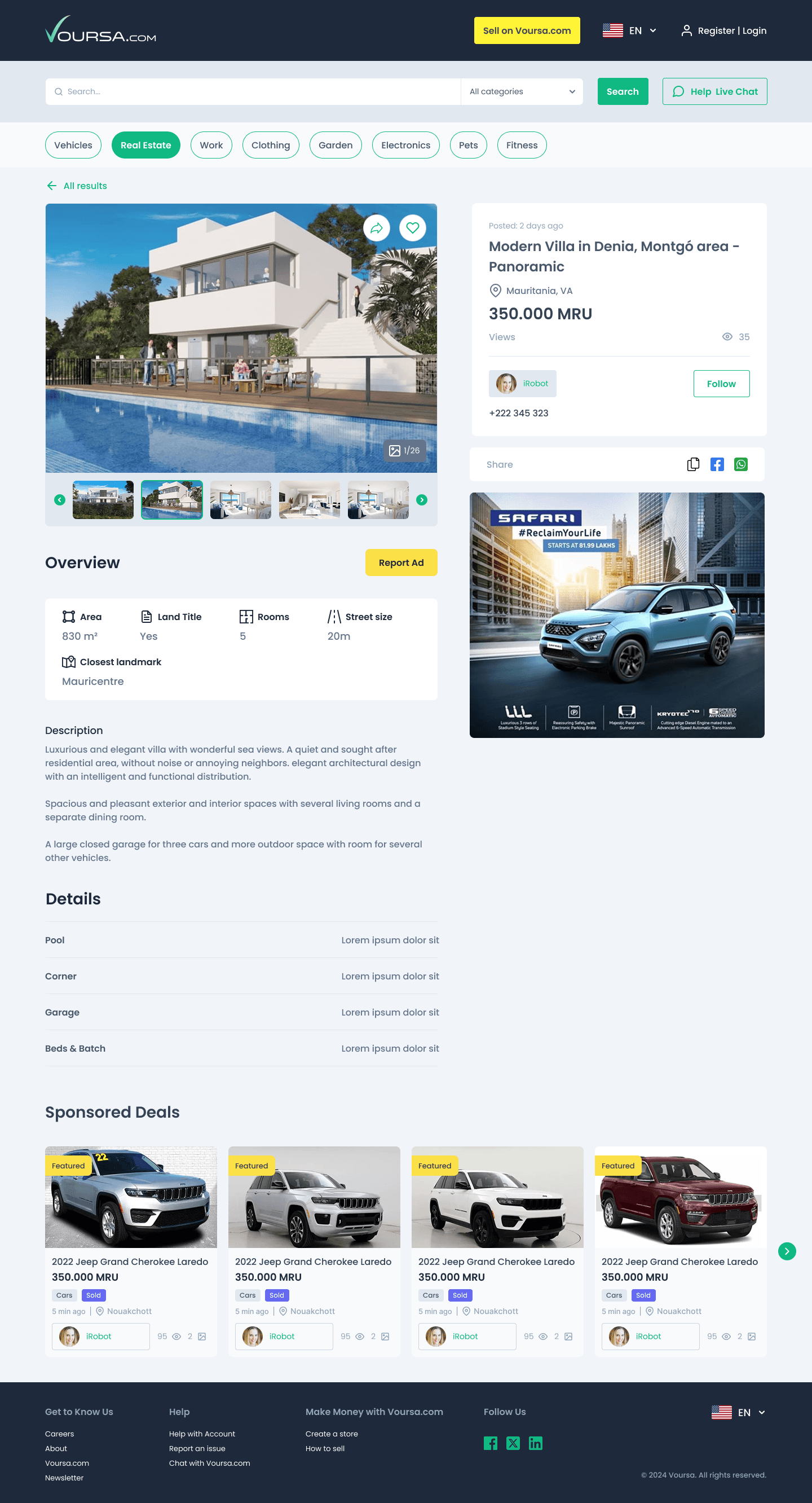
Voursa's detail view brings together a media gallery, title and public amount, category-specific attributes, description, location, seller information, and contact actions. Related listings provide a route back into discovery.
The property design shown on this page demonstrates the model. Its structured details are appropriate to real estate, while the gallery, seller panel, location, and related inventory reuse the same marketplace components available to other categories.
The listing page reveals contact information after a specific action. Result cards keep it hidden. Voursa can record a listing view or contact action without publishing private buyer information.
Creating an advertisement without a giant form
Seller onboarding is where a category model becomes visible. A single page containing every possible field would be intimidating and would still fail to explain which details are required.
Voursa begins advertisement creation with category and subcategory selection. The form then assembles the shared fields and the attributes defined for that type of listing.
Reusable form sections cover media, description, location, public offer, contact preferences, and listing controls. Each category supplies its own questions, options, and validation.
Before submission, the seller can review the public listing. Validation appears beside the field that needs attention, and each media upload shows its progress.
A listing lifecycle after submission
Creating an advertisement is not the end of a seller's work. Listings may wait for review, become active, expire, be archived, or require editing.
The seller area shows inventory and the state of each item. The interface offers only the actions allowed for that state.
The public marketplace receives listings that are eligible for discovery. Drafts, archives, and moderation details stay in seller or administrative workflows.
This lifecycle gives the frontend and backend teams a common language for status. The interface can explain what a seller may do next without exposing the client's internal review rules or staff notes.
Business storefronts inside the marketplace
Business sellers can group their inventory under a recognizable storefront.
A store page can present public business information, branding, categories, and active listings through the same cards and search behavior used elsewhere. Visitors gain context about the seller and can continue browsing that seller's inventory.
Storefront inventory uses the standard listing model. Seller identity and storefront presentation add context while products remain part of marketplace search.
Private business records, staff access, contact history, and commercial terms remain within authorized systems and are not included in the public case study.
Sponsored inventory that remains recognizable
Promoted placement can support marketplace revenue, but it should not make visitors wonder whether an advertisement is an ordinary result or a paid position.
Voursa includes sponsored sections and promoted listing treatments that use the core card design with a visible sponsor label. Placements can appear on the home page, category pages, or other approved discovery surfaces.
Sponsor presentation remains separate from administration. The frontend receives an eligible public campaign or placement and renders it with the same rules across the site. Private arrangements, billing, and performance agreements stay outside the frontend.
The client can monetize placements without adding a second navigation system or hiding that a listing is sponsored.
Multilingual design, including right to left
Voursa was planned for markets where users may browse in English, French, Arabic, and additional languages. Translation affects route structure, search behavior, category labels, form content, and the direction of the entire interface.
The Next.js frontend uses locale-aware navigation and message resources. Arabic gets a right-to-left layout with mirrored alignment and control order. Numbers, media, brand marks, and mixed-language listings keep their expected orientation.
The data model stores translatable category values outside the components. A vehicle attribute or property type can appear in each locale without changing its service identity.
Changing the language keeps the user on the same listing or category when the route exists in that locale.
Working with another engineering team
A separate team owned the backend implementation. Priority Soft worked with them throughout the project.
The teams defined service responsibilities, request and response shapes, category models, error behavior, and integration order before every live connection was available. Priority Soft created typed frontend models and mock services so page and interaction work could continue in parallel.
Mocks represented agreed behavior, not invented final data. When a backend capability became available, the integration layer could replace the mock while the components continued to use the same internal model.
Integration reviews caught mismatched assumptions before they spread across several screens. The teams could rename a field or clarify a status while the change was still small. Agreeing on definitions early also reduced idle time.
A service layer that protects the interface
Calling the backend from each React component would tie the interface to implementation details controlled by another team.
Dedicated service modules cover categories, search, listings, authentication, sellers, stores, and promoted content. Typed models translate external responses into the shapes the interface needs.
Components work with product concepts. Service modules contain the private addresses and transport details, apply the same error and loading rules, and give the team one place to adapt an integration change.
This boundary also makes the repository easier to test. The UI can run against predictable sample data, while integration checks focus on whether the live service still satisfies the agreed behavior.
Responsive components that can grow with the catalogue
The frontend uses a shared component system for search controls, cards, galleries, image upload, forms, filters, toggles, navigation, dialogs, skeletons, and feedback messages.
Components accept category-specific attributes and options, so a new vertical does not require a copy of the listing page or seller flow.
Accessibility behaviors such as labels, focus treatment, keyboard navigation, and understandable error messages belong to the reusable layer. Responsive rules keep complex filters and galleries usable across touch and pointer devices.
The Figma frames on this page use sample listings and contact information. They show the product design without exposing marketplace users or real inventory.
High-level technical foundation
Voursa uses Next.js, React, and TypeScript for the frontend. Locale-aware routing and translation libraries support left-to-right and right-to-left presentation. Category contexts and typed service modules organize the marketplace domains.
The application includes reusable systems for discovery, filters, listing detail, seller forms, media, stores, and sponsored placements. Mock service implementations enabled parallel development, while Docker configuration gave both teams a repeatable way to run the frontend during integration.
Environment configuration and private service access remain outside the UI code. This case study omits service addresses, request formats, record models, access secrets, seller data, sponsor arrangements, and deployment locations.
Priority Soft's role
The marketplace now has a shared system, with category-specific fields, filters, and form logic where needed.
We designed multilingual and right-to-left behavior into the foundation, built a reusable responsive interface, and created the seller and business experiences alongside visitor discovery. We also gave two independent engineering teams a practical way to work through typed models and mocks.
That cross-team discipline was as important as the code. It allowed the customer-facing product to move forward while the service layer was still being built, without pretending that unfinished integrations were complete.
The outcome
Voursa gained a substantial multilingual marketplace frontend covering discovery, category-aware search, structured listing detail, seller advertisement creation, listing management, business storefronts, and promoted inventory.
The existing models support new categories and languages without replacing the core marketplace experience. Priority Soft delivered the frontend and integration foundation through an extended engagement.
Public launch, adoption, transaction volume, and revenue are not established by the available evidence, so the case study does not claim them. It demonstrates the designed and implemented customer experience while keeping real listings, people, contact details, private service definitions, and commercial operations confidential.